Author: admin

  • From Perception to Performance: How One Automotive Manufacturer Rebuilt Trust in Leadership and Rewards

    From Perception to Performance: How One Automotive Manufacturer Rebuilt Trust in Leadership and Rewards

    A leading automotive manufacturer, running operations across plant and corporate functions, had reached a point where its people processes could no longer keep pace with its ambitions. Leadership feedback lived entirely in one manager’s head. Increment decisions felt inconsistent to the very employees they were meant to motivate. And employee sentiment was something HR discovered after the fact, not something it tracked. What should have been the foundation of a strong performance culture had instead become a quiet source of doubt across the organization.

    The Core Challenges

    The existing approach to leadership, performance, and engagement was breaking down at several points:

    • HODs and managers were evaluated almost entirely through the lens of a single reporting manager, with no structured input from peers or cross-functional stakeholders.
    • Leadership and behavioural gaps often went unnoticed until they had already affected team performance.
    • Salary increments were not consistently linked to individual contribution, leaving high performers without clear differentiation.
    • Promotions lacked a measurable connection to demonstrated performance, making career progression feel unpredictable.
    • Employee satisfaction was never captured on a regular basis, so HR had no early warning system for disengagement.

    The result: a people strategy that ran on assumption rather than evidence, and a workforce that had stopped expecting reviews, rewards, or feedback to feel fair.

    Phi EDGE’s Transformational Approach

    Phi EDGE HRMS partnered with the organization to rebuild leadership development, rewards, and engagement as one connected, evidence-based system:

    • 360° Feedback for Leadership: Feedback on HODs and managers was gathered from managers, peers, and internal stakeholders not just one reporting line giving a genuinely rounded view of leadership and managerial effectiveness.
    • Individual Development Plans (IDPs): Feedback data was translated into targeted development plans for HODs and managers, turning leadership development into a structured, ongoing process instead of a once-a-year conversation.
    • Performance-Linked Increments & Promotions: The Performance Management System gave HR and leadership structured KPI and performance data to support increment and promotion decisions, replacing guesswork with documented evidence.
    • Continuous Employee Listening: Online, periodic employee satisfaction surveys gave HR an ongoing channel to track sentiment, surface concerns early, and act before issues affected performance or retention.
    • One Connected System, Not Isolated Tools: Feedback, performance data, and engagement insights fed into each other within Phi EDGE HRMS, giving HR and business leaders a single, evidence-based view of their people instead of three disconnected data sets.

    Impact

    • Leadership development shifted from reactive to proactive, with HODs and managers receiving structured, multi-source feedback instead of relying on a single manager’s perception.
    • Increment and promotion decisions became grounded in documented performance data, giving employees greater confidence that outcomes reflected contribution.
    • High performers experienced clearer recognition, helping close the gap between top and average performers that had previously gone unaddressed.
    • HR gained a continuous view of employee sentiment instead of discovering disengagement only after it showed up in attrition numbers.
    • Managers gained visibility into specific development areas, rather than broad, generic feedback.
    • Leadership had, for the first time, a connected picture of how feedback, performance, and engagement influenced one another across the organization.

    “Our leaders finally get feedback that reflects how their teams actually experience them, not just one person’s view. And our people trust that increments and promotions are backed by data, not guesswork.” — HR Leadership, Automotive Client

    Through an integrated approach, combining 360° feedback, performance-linked rewards, and continuous employee listening-Phi EDGE HRMS helped this automotive manufacturer move from subjective, manager-dependent people decisions to a transparent, data-driven performance culture. This wasn’t just a system upgrade; it was a shift toward a more accountable, engaged, and evidence-driven organization.

  • How to Reduce Time-to-Hire Without Compromising Quality

    How to Reduce Time-to-Hire Without Compromising Quality

    Introduction

    Open any HR leader’s inbox in 2026, and you’ll find the same tension playing out on repeat: a hiring manager wants a role filled “yesterday,” while the recruiting team is trying to protect the quality bar that keeps attrition low and teams productive. This isn’t a new problem, but it has gotten sharper. Candidates now expect a decision within days, not weeks. LinkedIn’s Talent Trends research has repeatedly shown that top candidates are off the market within 10 days of actively job-seeking. Meanwhile, a single bad hire in a mid-level role can cost anywhere from 30% to over 200% of that employee’s annual salary once you factor in training, lost productivity, and team disruption.

    So the real question isn’t “how do we hire faster?” or “how do we hire better?” It’s how to do both at once. The good news: the two goals aren’t actually in conflict. Most of the time lost in hiring isn’t spent on genuine evaluation; it’s lost to friction: unclear job specs, manual resume sorting, scheduling back-and-forth, and approval bottlenecks. Strip out the friction, and speed and quality stop competing.

    This article breaks down where time-to-hire actually goes, what modern HR technology changes, and how HR leaders can build a hiring process that’s fast because it’s well-designed, not because it’s careless.

    Understanding Time-to-Hire (And Why It’s Often Measured Wrong)

    Time-to-hire is the number of days between a candidate applying (or being sourced) and accepting an offer. It’s frequently confused with “time-to-fill,”  How to Reduce Time-to-Hire Without Compromising Quality. which starts from when the requisition is opened a subtly different metric that includes internal delays like getting a job posted or budget approved.

    That distinction matters because most organizations trying to “reduce time-to-hire” are actually fighting time-to-fill problems; slow requisition approvals, vague job descriptions that attract the wrong applicants, and interview loops that stall because no one owns scheduling.

    Common bottlenecks that inflate hiring timelines:

    • Manual resume screening that takes days instead of hours
    • Interview panels coordinated over email instead of shared calendars
    • No structured scorecards, so interviewers disagree and restart evaluation
    • Offer approvals stuck in multi-layer sign-off chains
    • Candidates going cold because no one followed up for a week

    None of these delays improve hiring quality. They just make the process slower without making it smarter, which is exactly the gap technology is built to close.

    The Quality Trade-Off Myth

    There’s a persistent assumption that fast hiring means shallow hiring, that speed forces recruiters to skip steps. In practice, the opposite is usually true: rushed, unstructured processes are what produce bad hires, not fast ones.

    A hiring process becomes risky when evaluation is inconsistent, one interviewer focuses on culture fit, another on technical depth, and no one compares notes against a shared standard. Speed isn’t the enemy here; inconsistency is. When you standardize how candidates are screened and scored, you can move quickly and confidently, because every candidate is being judged against the same bar, not against whoever happened to interview them.

    This is the core insight experienced talent acquisition leaders have learned the hard way: quality comes from structure, not from slowness.

    Speed vs. Quality: What the Data Actually Shows

    Factor Slow, Manual Process Fast, Structured Process (Tech-Enabled)
    Accuracy in shortlisting Inconsistent — depends on individual recruiter judgment and fatigue Higher — standardized criteria and resume screening software reduce human variance
    Speed of hiring Weeks lost to manual coordination and follow-ups Structured workflows and automation compress cycles significantly
    Candidate quality Top candidates often withdraw due to slow response Faster, well-communicated processes retain stronger candidates
    Cost per hire Higher — extended vacancy costs, recruiter hours, re-hiring due to mismatches Lower — automation reduces manual hours and mis-hire risk

    The pattern is consistent across industry benchmarks; organizations that reduce hiring time through better process design tend to see quality hold steady or improve, largely because faster processes lose fewer strong candidates to competing offers. A slow process doesn’t just delay hiring it quietly filters out your best candidates, who simply accept another offer first.

    The Role of Technology in Modern Hiring

    This is where most of the actual time savings come from, not by cutting evaluation steps but by removing the manual work around them.

    Applicant Tracking Systems: The Operational Backbone

    An applicant tracking system (ATS) centralizes every stage of hiring—job postings, applications, resumes, interview feedback, and offer status- into one workflow instead of scattered emails and spreadsheets.


    How ATS improves the hiring process in practical terms:

    • Automatically ranks and filters applications against role criteria, cutting screening time from days to hours
    • Gives every interviewer visibility into candidate history and feedback, so decisions aren’t delayed by miscommunication
    • Flags stalled candidates automatically, so no one goes cold from neglect
    • Standardizes evaluation criteria across interviewers, which protects quality even as speed increases

    This is the single biggest lever to reduce hiring time: it doesn’t skip steps; it eliminates the manual coordination between steps. It’s also why more HR teams now look for this capability inside a broader HRMS rather than as a standalone tool — platforms such as Phi EDGE HRMS build applicant tracking directly into the employee lifecycle, so candidate data flows into onboarding without re-entry or handoff delays.

    AI Recruitment Software and Resume Screening Software

    Where an ATS organizes the process, AI recruitment software adds judgment at scale. Modern resume screening software uses natural language processing to match candidate experience against role requirements, not just keyword matching, but contextual skill and experience relevance. This means a recruiter reviewing 300 applications for a single role can get a ranked, explainable shortlist in minutes instead of spending a full day manually reading resumes.

    Used responsibly — with human recruiters reviewing and validating AI-generated shortlists, not blindly accepting them — this doesn’t compromise quality. It removes the fatigue-driven inconsistency that creeps in when a recruiter is on resume 250 of 300.

    Recruitment Automation Tools

    Beyond screening, recruitment automation tools handle the repetitive coordination work that quietly eats weeks off a hiring timeline:

    • Automated interview scheduling that syncs multiple calendars instantly
    • Triggered follow-up emails so candidates never wait more than 24–48 hours for a status update
    • Automated reference checks and background verification workflows
    • Offer letter generation and e-signature routing, cutting approval-to-signature time from days to hours

    None of these tools replace human judgment on whether a candidate is right for the role. They remove the administrative lag that has nothing to do with judgment at all.

    Real-World Use Cases

    Case 1 — A mid-size fintech company was averaging 52 days to fill technical roles, largely due to manual resume review and email-based interview scheduling. After implementing structured screening workflows and automated scheduling, they cut their average to 28 days without lowering their technical bar. The change came almost entirely from removing coordination delays, not from relaxing evaluation criteria.

    Case 2 — A retail chain hiring for seasonal and store-level roles faced a different problem: high application volume overwhelming a small recruiting team. Automated resume screening let them process thousands of applications consistently, surfacing qualified candidates faster while reducing recruiter burnout-driven errors — a common but rarely discussed quality risk in high-volume hiring.

    Case 3 — A professional services firm restructured its interview process around shared, standardized scorecards accessible in real time. Interviewers no longer waited for a follow-up meeting to compare notes; decisions that once took a week of back-and-forth were finalized within 48 hours of the final interview.

    In each case, the improvement wasn’t “hire faster by evaluating less.” It was “hire faster by evaluating more consistently, with less manual overhead.”

    Which Approach Works Best? It Depends on the Role

    There’s no single formula that fits every hire. A senior leadership role justifies a longer, more deliberate process with multiple stakeholders. A high-volume frontline role benefits more from heavy automation and rapid screening, where speed itself is a competitive advantage in a tight labour market.

    A practical way to think about it:

    • High-volume, entry-level roles → prioritize automation and structured screening; speed has an outsized impact on candidate retention
    • Mid-level specialist roles → balance automated shortlisting with structured, scorecard-driven interviews
    • Senior/leadership roles → keep human judgment central, but still use tech to eliminate scheduling and coordination delays

    The technology doesn’t dictate how thorough a process should be — it just makes whatever process you choose faster to execute.

    How Businesses Can Reduce Time-to-Hire Without Cutting Corners

    1. Audit where time is actually being lost. Most teams assume it’s the interview stage; it’s usually screening and scheduling. Pull your own time-to-hire data by stage before changing anything.
    2. Standardize job descriptions and evaluation criteria upfront. Ambiguity at the start creates delays and disagreement later.
    3. Automate the repetitive, not the judgment-based. Let software handle scheduling, follow-ups, and initial screening; keep humans firmly in charge of final decisions.
    4. Set response-time SLAs internally. A rule like “no candidate waits more than 48 hours for feedback” forces process discipline that naturally compresses timelines.
    5. Centralize data instead of fragmenting it across email, spreadsheets, and messaging apps. This is where a unified HR platform earns its keep — when recruiters, hiring managers, and interviewers are all working from the same real-time data, decisions stop waiting on someone checking their inbox.

    This is also where the right HR technology stack becomes a genuine differentiator rather than a nice-to-have. Platforms like Phi EDGE HRMS bring applicant tracking, resume screening, and interview coordination into a single connected workflow — reducing the manual handoffs that are usually the real source of hiring delays, while keeping the structured evaluation that protects hire quality. The point isn’t the software itself; it’s what having one connected system removes from your team’s plate.

    Conclusion

    The future of hiring doesn’t belong to whoever moves fastest, or whoever is most cautious — it belongs to organizations that engineer speed into a structured, well-evaluated process. Time-to-hire and hiring quality aren’t opposing goals; they’ve simply been bundled together with a lot of avoidable friction. As AI recruitment software and automation mature, that friction is only going to keep shrinking, giving HR leaders more room to move quickly without gambling on who they bring on board.

    The organizations that get this right in the next few years won’t be the ones that hired fastest in isolation they’ll be the ones that built a hiring engine where speed and quality reinforce each other by design.

    FAQ

    Q1: What is a good time-to-hire benchmark? It varies significantly by role and industry, but many organizations target 30–45 days for mid-level roles and closer to 2–3 weeks for high-volume or entry-level positions. The more useful benchmark is your own historical average — track it by role type and aim to reduce non-evaluation delays first.

    Q2: Does using AI recruitment software risk introducing bias? It can, if the underlying model or training data is flawed and it’s used without human oversight. The safer approach is using AI tools to generate ranked shortlists that recruiters review and validate, rather than letting software make final decisions unsupervised.

    Q3: Is an ATS worth it for a small business with low hiring volume? Even at low volume, an ATS reduces the risk of losing track of candidates, missed follow-ups, and inconsistent evaluation—issues that hurt small teams disproportionately since there’s little redundancy to catch mistakes.

    Q4: What’s the fastest way to start reducing time-to-hire? Start by measuring where time is actually lost at each stage of your process. Most teams find scheduling and initial screening are the biggest culprits—both are the easiest to automate without touching how candidates are actually evaluated.

    About the Author

    Anoop Ramachandran is a Director and Co-Founder of Phi EDGE, a Pune-headquartered HR consulting and HR technology firm with over 26 years of his own experience spanning HR leadership roles in Finance, FMCG, and manufacturing, including as Head HR at Bajaj Auto Finance and VP HR at Future General Life Insurance. Over more than a decade at Phi EDGE, he has worked closely with organizations across manufacturing, financial services, real estate, hospitality, and IT to solve practical hiring and workforce challenges, insights that directly inform how Phi EDGE HRMS is built and evolved for HR teams today.

    Related Resources


  • Skills-Based Hiring Vs Degree-Based Hiring: Which Works Better?

    Skills-Based Hiring Vs Degree-Based Hiring: Which Works Better?

    Introduction

    Open ten job requisitions today, and you’ll likely see the same pattern: hundreds of applications flooding in within hours, a shrinking window to make an offer before top talent disappears, and a hiring manager who still can’t find the “right fit.” This is the paradox defining recruitment in 2026. Application volumes have surged, yet filling the right role has never felt harder. HR leaders are drowning in resumes but starving for qualified candidates.

    At the center of this challenge sits an old debate that has taken on new urgency: should you hire based on degrees or demonstrated skills? For decades, a four-year degree was the default filter on every job posting. Today, that filter is being dismantled quietly by some companies, loudly by others. Tech giants, airlines, banks, and even state governments have dropped degree requirements for thousands of roles, betting that what a candidate can do matters more than what a transcript says they learned.

    But are skills-based hiring actually delivering better outcomes, or is it mostly a talking point that hasn’t changed hiring behaviour on the ground? This article breaks down both approaches, backs the comparison with current data, and explains how the right technology, from an applicant tracking system to AI recruitment software, determines whether either model actually works in practice.

    What is Degree-Based Hiring?

    Degree-based hiring is a recruitment approach that treats a formal educational credential, typically a bachelor’s degree, as a baseline qualification for a role, regardless of whether the degree’s subject matter is directly relevant to the job’s daily responsibilities.

    Pros of Degree-Based Hiring

    • Signals a baseline of discipline and commitment. Completing a multi-year program demonstrates the ability to follow through on long-term goals.
    • Simplifies initial screening. A degree requirement acts as a quick filter when recruiters are managing high application volumes.
    • Still relevant for regulated or technical professions. Fields like law, medicine, engineering, and accounting have degree requirements tied to licensing and safety, not just tradition.
    • Provides a shared educational baseline for roles where deep theoretical grounding genuinely predicts performance.

    Limitations of Degree-Based Hiring

    • Excludes capable candidates. Millions of skilled workers, self-taught developers, boot camp graduates, military veterans, and career changers get filtered out before a human ever reviews their application.
    • Doesn’t reliably predict job performance. A degree tells you what someone studied years ago, not what they can execute today.
    • Disproportionately screens out underrepresented groups, since access to four-year degrees is uneven across income levels and demographics.
    • Shrinks the talent pool at a time when employers are already struggling to fill open roles.
    • Expensive by proxy. Employers who insist on degrees are effectively asking candidates to have taken on significant education debt as a prerequisite for consideration, pricing out otherwise strong applicants.

    What is Skills-Based Hiring?

    Skills-based hiring evaluates candidates primarily on demonstrated competencies like technical skills, problem-solving ability, certifications, portfolios, and real-world experience rather than on where or whether they earned a degree.

    Instead of asking, “Does this person have a bachelor’s degree?” skills-based hiring asks, “Can this person do the job we need done?” It relies on structured skill assessments, practical tests, work samples, and competency-based interviews rather than credential checklists.

    Why It’s Gaining Popularity

    The shift toward skills-based hiring isn’t a fringe experiment; it’s backed by measurable movement across major employers and government bodies:

    • Roughly 70% of organizations now report using skills-based hiring practices for at least some roles, up from around 65% the previous year.
    • Major employers including IBM, Google, Delta Air Lines, Bank of America, and Accenture have removed four-year degree requirements from a large share of their job postings a shift that has expanded beyond tech into finance, aviation, and retail.
    • Skills-based hiring can expand an employer’s addressable talent pool by several multiples in fields like financial services, simply by removing an artificial filter that was never a reliable predictor of ability.
    • IBM’s well-known “New Collar” program hires technicians without four-year degrees and trains them in-house treating skill development as an ongoing investment rather than a hiring prerequisite.

    That said, the shift is more genuine at some companies than others. Research from Harvard Business School and the Burning Glass Institute found that many organizations that publicly announced they were “dropping degree requirements” saw little actual change in who they hired the job postings changed, but the hiring managers’ habits didn’t. The lesson for HR leaders: intent alone doesn’t create outcomes. Execution does.


    Skills-Based Hiring Vs Degree-Based Hiring: A Practical Comparison

    1. Accuracy in Hiring

    Skills-based hiring tends to correlate more closely with actual job performance because it tests for the competencies a role requires, rather than a proxy credential. Structured skill assessments and work-sample tests give hiring teams direct evidence of capability. Degree-based hiring, by contrast, assumes that academic performance transfers cleanly into workplace performance an assumption that frequently breaks down, especially in fast-evolving fields like software development, digital marketing, and data analytics where formal curricula struggle to keep pace with real-world tools.

    1. Speed of Hiring

    This is where the comparison gets interesting. Degree-based hiring can feel faster because a single filter (“Bachelor’s degree required”) quickly trims a large applicant pool. But that speed is often false economy — it screens out qualified candidates early, forcing recruiters to reopen searches when the remaining pool doesn’t deliver strong offers. Skills-based hiring, when supported by the right technology, can actually reduce hiring time more effectively by surfacing genuinely qualified candidates faster, cutting down on false starts and repeat searches later in the pipeline.

    1. Quality of Candidates

    Organizations that have implemented skills-based hiring with real rigor — not just symbolic policy changes — report meaningfully better outcomes. Skills-first hiring has been linked to significantly higher retention among top performers, since candidates are matched to roles based on actual fit rather than credential optics. Degree-based hiring can still deliver quality candidates, particularly in professions where the degree itself is the skill (law, medicine), but it risks false positives: candidates who look strong on paper but underperform in practice.

    1. Cost Implications

    Degree-based hiring carries hidden costs: a narrower talent pool inflates salary expectations for “qualified” candidates, extends time-to-fill for hard-to-source roles, and increases the risk of mis-hires when a degree turns out to be a poor proxy for competence. Skills-based hiring requires upfront investment in structured assessments and technology, but it tends to lower cost-per-hire over time by widening the pool, reducing turnover, and cutting the expense of repeated searches.

    The Role of Technology in Modern Hiring

    Neither approach works well at scale without the right infrastructure behind it. This is where recruitment technology becomes the deciding factor between a hiring philosophy that sounds good in a policy document and one that actually changes outcomes on the ground.


    How an Applicant Tracking System Improves the Hiring Process

    A modern applicant tracking system does more than store resumes — it structures the entire hiring workflow so decisions are consistent, auditable, and fast. Here’s how ATS improves the hiring process in practice:

    • Standardizes evaluation criteria across recruiters and hiring managers, so candidates are scored against the same rubric instead of individual gut feeling.
    • Centralizes candidate data, eliminating the spreadsheet chaos that slows down multi-stage interview loops.
    • Flags bias-prone filters. A well-configured ATS can be adjusted so it stops quietly scoring degrees as a positive signal even when a job description no longer requires one, a gap that undermines many companies’ stated skills-based policies.
    • Improves compliance and reporting, which matters increasingly as jurisdictions introduce hiring transparency requirements.

    Modern HRMS platforms like Phi EDGE HRMS build these capabilities directly into their applicant tracking system, so HR teams aren’t stitching together separate tools for sourcing, screening, and reporting; the workflow stays connected from first application to final offer.

    AI Recruitment Software: Matching Skills to Roles at Scale

    AI recruitment software extends what an ATS can do by analyzing candidate data against role requirements far faster and more consistently than manual review. In practical terms, this means:

    • Ranking candidates by skill fit rather than keyword density on a resume.
    • Surfacing non-traditional candidates: career changers, boot camp graduates, and self-taught professionals who would otherwise be filtered out by rigid degree fields.
    • Reducing recruiter workload on repetitive screening tasks, freeing them to focus on interviews and candidate experience.

    One hospitality-sector employer that adopted AI-assisted skill matching reported a dramatic jump in candidates accepting their first job match, alongside a noticeable drop in mid-process candidate drop-out a strong signal that better matching improves both speed and candidate experience simultaneously.

    Resume Screening Software and Recruitment Automation Tools

    Resume screening software parses applications for relevant skills, certifications, and experience rather than relying on degree fields as a proxy. Paired with broader recruitment automation tools automated interview scheduling, pre-screening questionnaires, and skill-assessment integrations, HR teams can meaningfully reduce hiring time without sacrificing candidate quality. Automation doesn’t replace human judgment in hiring; it removes the administrative drag that keeps good candidates waiting and lets recruiters spend their time where it matters: evaluating fit, not chasing paperwork.

    Real-World Use Cases: Companies Shifting to Skills-Based Hiring

    • IBM’s “New Collar” initiative hires technicians directly into technical roles without a four-year degree requirement, then invests in structured on-the-job training. The approach was one of the earliest large-scale proofs that skills-first hiring can work at enterprise scale.
    • Delta Air Lines removed degree requirements for many operational and technical roles, widening its applicant pool during a period of acute labour shortages in aviation.
    • State governments, starting with Maryland in 2022 and followed by Utah, Pennsylvania, Colorado, and others, removed degree requirements across tens of thousands of public-sector positions an institutional signal that skills-based evaluation isn’t just a private-sector experiment.
    • Financial services firms experimenting with skills-based hiring have reported the ability to expand candidate pools many times over compared to degree-gated postings, particularly for operations and analyst-level roles where practical competency matters more than a finance degree.

    The common thread across these examples isn’t just a policy change; it’s a shift in mechanics. Companies that saw real results restructured their screening rubrics, retrained hiring managers, and used technology to enforce the new criteria consistently. Companies that only changed the wording on job postings, without changing how resumes were actually scored, saw minimal shifts in who they hired.

    Which Approach Works Better?

    The honest answer: it depends on the role, the industry, and critically, how disciplined the execution is.

    • Skills-based hiring tends to outperform for roles where practical competency is directly observable and testable, such as software engineering, sales, customer support, operations, creative roles, and most technical or trade positions. It also performs better in fast-moving fields where formal curricula lag behind real-world tools and practices.
    • Degree-based hiring still holds value for regulated professions where the credential is tied to legal or safety requirements: medicine, law, structural engineering, and similar fields where the degree is the qualification, not a proxy for one.
    • A hybrid model is often the most realistic path for most mid-sized and large organizations: use skills assessments as the primary filter, while treating relevant degrees or certifications as a supporting signal rather than a gatekeeping requirement.

    The organizations getting the best results aren’t the ones that picked a side dogmatically they’re the ones that matched their hiring criteria to what actually predicts success in each specific role, and then built consistent processes to apply that criteria at scale.


    How Businesses Can Transition to Skills-Based Hiring

    Moving from degree-gated hiring to a genuine skills-based model takes more than rewriting job descriptions. Practical steps include:

    1. Audit existing job postings to identify where degree requirements are genuinely necessary versus inherited habit.
    2. Define the specific skills each role requires, at what proficiency level, before you start screening candidates.
    3. Build a structured evaluation rubric a consistent scoring system every hiring manager uses, rather than subjective impressions.
    4. Train hiring managers on the new criteria; policy changes fail when the people doing the actual screening default to old habits.
    5. Use technology to enforce consistency. This is where a well-configured recruitment platform matters most. Automated skill matching, structured scorecards, and bias-aware screening logic ensure the new criteria are actually applied, not just written down.
    6. Track outcomes, not just intentions. Monitor time-to-fill, retention, and performance of skills-hired employees to validate (and refine) the approach over time.

    This is also where the right HR technology stack becomes less of a “nice to have” and more of an operational necessity. Platforms like Phi EDGE HRMS bring applicant tracking, AI-assisted candidate matching, and hiring automation into a single system, helping HR teams turn a skills-based hiring policy into a consistently applied practice, rather than a good intention that quietly reverts to old habits under deadline pressure.

    Conclusion

    The degree-versus-skills debate isn’t really about which credential looks better on paper it’s about what genuinely predicts whether someone will succeed in a role. The data increasingly favours skills as the more accurate signal, but the organizations winning this shift are the ones pairing that philosophy with disciplined execution and the right technology to enforce it consistently.

    As labour markets keep tightening and required skills keep evolving faster than academic curricula can track, hiring strategies that adapt fastest will win the best talent. Whether your organization leans skills-first, stays degree-anchored for select roles, or builds a hybrid model, the deciding factor will increasingly be the technology behind your hiring process how well your applicant tracking system, AI recruitment software, and automation tools translate strategy into consistent, fair, and fast hiring decisions.

    The future of hiring isn’t about choosing a side in this debate. It’s about building a process precise enough to hire the right person, regardless of which path they took to get there.

    If your team is ready to move from policy to practice, an HRMS like Phi EDGE HRMS can help connect skills-based screening, AI-assisted matching, and hiring automation into one consistent workflow so the shift shows up in your hiring data, not just your job postings.

    Related Resource Curious how a connected HRMS platform actually supports this shift day-to-day? Explore Phi EDGE HRMS or request a free demo to see applicant tracking, AI-assisted matching, and hiring automation in action.

    FAQ

    Q1: Is skills-based hiring only relevant for tech roles?
    No. While it started prominently in technology, skills-based hiring has expanded into finance, aviation, retail, hospitality, and public-sector roles. Any role where practical competency can be assessed and observed is a strong candidate for a skills-first approach.

    Q2: Does removing a degree requirement automatically lead to more diverse or non-degree hires?
    Not automatically. Research shows many companies that dropped degree requirements on paper saw little actual change in hiring outcomes, because screening habits and ATS configurations weren’t updated to match. Real change requires restructuring the evaluation process itself, not just the job posting.

    Q3: Can an applicant tracking system support both degree-based and skills-based hiring?
    Yes. A well-configured ATS can be set up to weight skills, certifications, and assessment results alongside or instead of degree fields, depending on how each role is defined. The key is configuring it deliberately rather than relying on default settings.

    Q4: Will AI recruitment software replace human judgment in hiring decisions?
    No. AI recruitment software is best used to surface and rank qualified candidates faster and more consistently, reducing administrative load and bias-prone shortcuts. Final hiring decisions especially around culture fit and team dynamics still benefit from human judgment.

    About the Author

    Vibha Anoop is a Director at Phi EDGE and has spent 26 years in organizational and people development, including 8 years in private HR consulting. She has held senior HR leadership roles at Godrej & Boyce (Head HR) and the Aditya Birla Group (Programme Director), leading large-scale HR interventions for MNCs and Indian corporates. She is also the Founder of Phi Consulting Services, where she has delivered end-to-end Core HR solutions for clients across industries and geographies in India. Vibha is an alumna of the Symbiosis Institute of Business Management.


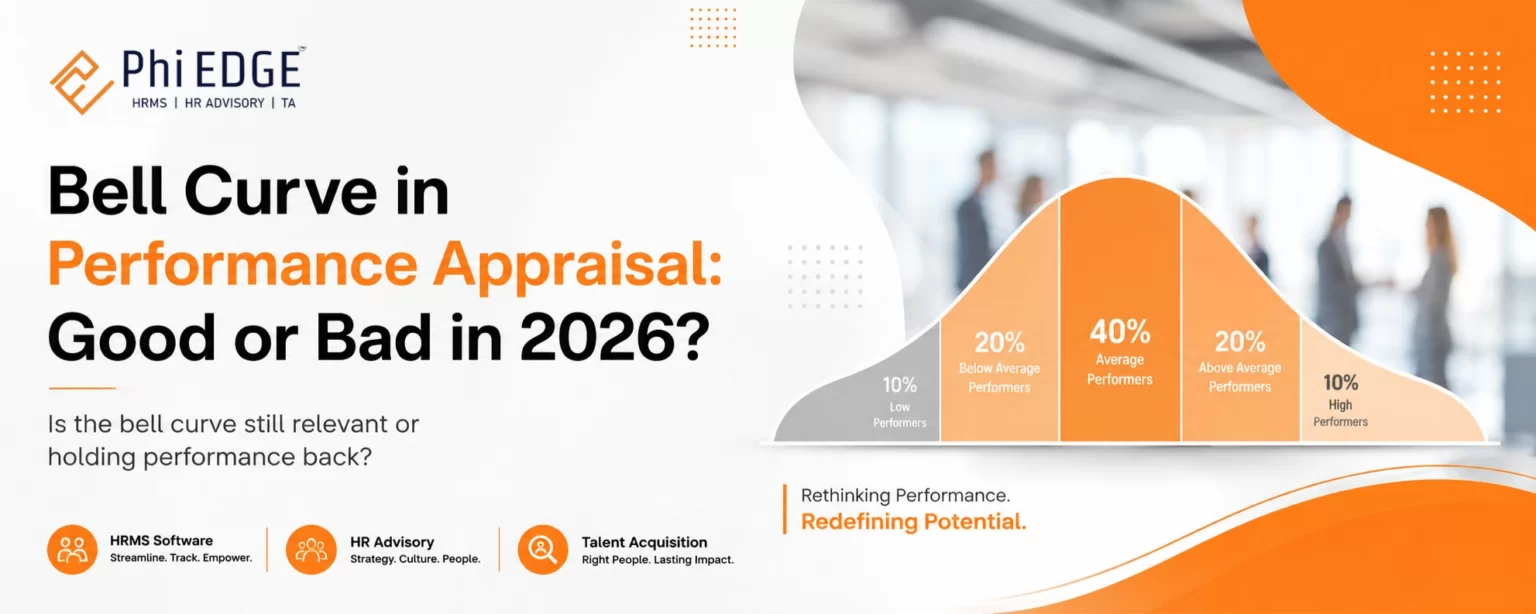
  • Bell Curve in Performance Appraisal: Good or Bad in 2026?

    Bell Curve in Performance Appraisal: Good or Bad in 2026?

    Quick Answer: The bell curve in performance appraisal is not automatically good or bad. In 2026, rigid forced ranking is increasingly difficult to justify because employee performance does not always follow a fixed statistical distribution. However, data-driven calibration, clear KPIs, continuous feedback, and evidence-based performance ratings can still help organizations differentiate performance fairly.

    For HR leaders, the better question is not “Should we use a bell curve?” but “How can we make performance evaluation fair, measurable, transparent, and development-focused?”

    Research published on forced distribution systems highlights both sides: standardized distributions can reduce rating inflation, but they can also create perceptions of unfairness, discrimination, unhealthy competition, and reduced collaboration.

    This is where modern performance management software and HRMS platforms such as Phi EDGE can help organizations move from forced ranking toward structured, data-backed performance management.


    What Is a Bell Curve in Performance Appraisal?

    Bell Curve in Performance Appraisal: Good or Bad in 2026? A bell curve appraisal, also called forced distribution, forced ranking, or stack ranking, requires managers to distribute employees into predefined performance categories.

    A traditional example could look like this:

    • Top 20%: Exceptional/high performers
    • Middle 70%: Meets expectations
    • Bottom 10%: Needs improvement

    Other organisations may use a 10-80-10 distribution or divide employees into five performance groups.

    The purpose is to prevent managers from rating almost everyone as “excellent” and to create differentiation between employees. Historically, the approach became particularly associated with General Electric’s 20-70-10 model.

    But the business environment has changed.

    Modern employees often work collaboratively across projects, functions, locations, and teams. Therefore, comparing employees purely against each other can fail to capture individual contribution, role complexity, teamwork, innovation, and context.

    How Does Bell Curve Performance Appraisal Work?

    The process generally follows five steps:

    1. Define Performance Criteria

    HR establishes KPIs, competencies, goals, behavioral expectations, and rating levels.

    2. Collect Performance Data

    Managers evaluate employees using targets, project outcomes, competencies, feedback, attendance, achievements, and other relevant evidence.

     3. Assign Preliminary Ratings

    Managers provide initial performance ratings based on employee contribution.

    4. Apply Calibration or Distribution

    Employees are compared across a group and placed into predetermined performance categories.

    5. Link Ratings to HR Decisions

    Ratings may influence:

    • Salary increments
    • Bonuses
    • Promotions
    • Recognition
    • Development plans
    • Performance improvement plans

    The biggest concern arises when the distribution becomes more important than actual performance evidence.

    Is the Bell Curve Good for Performance Appraisals in 2026?

    The Short Answer

    A rigid bell curve is usually not the best standalone performance appraisal method in 2026.

    However, a flexible calibration framework can still be useful.

    The distinction is important.

    A company can use performance distribution data to identify unusual rating patterns without forcing managers to artificially place a fixed percentage of employees into a low-performance category.

    Recent research has found that employees downgraded because of forced ranking cutoffs were significantly more likely to leave the organisation, highlighting the potential retention consequences of rigid forced ranking.

    When Bell Curve Can Be Useful

    A controlled distribution approach can help when:

    • Managers routinely give everyone similar ratings.
    • Performance standards are unclear.
    • The organization needs stronger rating differentiation.
    • HR wants to identify rating inflation.
    • Large employee populations are performing comparable roles.
    • Calibration discussions are already mature.

    When Bell Curve Can Become Harmful

    It can create problems when:

    • A fixed percentage must be classified as poor performers.
    • Employees compete rather than collaborate.
    • Different jobs are compared using identical standards.
    • Ratings are based on relative ranking instead of evidence.
    • Managers manipulate rankings to meet quotas.
    • Performance ratings directly determine termination without adequate process.

    Benefits of Bell Curve Performance Appraisal

    The bell curve continues to attract organizations because it can solve some real HR challenges.

    1. Reduces Rating Inflation

    Managers may hesitate to give low ratings because difficult conversations can create conflict. A structured distribution can encourage greater differentiation.

    The U.S. Office of Personnel Management’s 2026 performance appraisal discussion also recognises that standardised distributions can help address leniency bias, while noting important risks.

    2. Identifies High Performers

    A distribution framework can help HR identify employees who consistently deliver exceptional results.

    These employees can then be considered for:

    • Leadership programmes
    • Promotions
    • Succession planning
    • Higher responsibilities
    • Performance-linked rewards

    3. Creates Rating Consistency

    Without calibration, one manager may rate employees very strictly while another may rate everyone generously.

    Comparative analysis can expose these inconsistencies.

    4. Supports Reward Differentiation

    When used carefully, differentiated performance ratings can support merit-based compensation and recognition.

    5. Provides a Simple Management Framework

    For organizations with large workforces, a standardized framework can make performance review discussions easier to structure.


    Disadvantages of Bell Curve Performance Appraisal

    The biggest issue is that employee performance is not necessarily distributed according to a predetermined curve.

    1. Creates Artificial Low Performers

    Imagine a team of 10 employees where all 10 have achieved or exceeded their objectives.

    If the organisation mandates that one employee must be placed in the bottom category, the system may create a low performer where none actually exists.

    This is one of the fundamental criticisms of forced distribution.

    2. Can Damage Employee Morale

    An employee may feel unfairly evaluated if their rating depends on how colleagues performed rather than whether they achieved their own objectives.

    3. Encourages Internal Competition

    When employees know that only a fixed percentage can receive the highest rating, collaboration can suffer.

    Research on forced distribution has identified potential negative effects on citizenship behaviour and knowledge sharing.

    4. Can Increase Employee Turnover

    A 2025 Management Science study examining forced ranking found that employees downgraded from top performance levels because of a strict ranking cutoff were at least 34% more likely to voluntarily leave.

    5. Does Not Always Reflect Role Complexity

    Comparing a salesperson, software developer, HR professional, plant manager, and customer service executive using the same distribution logic can produce misleading results.

    6. Can Encourage Short-Term Behaviour

    Employees may focus heavily on measurable targets while neglecting:

    • Knowledge sharing
    • Mentoring
    • Teamwork
    • Long-term innovation
    • Employee development
    • Customer relationships

    Bell Curve vs Modern Performance Management

    Factor Bell Curve Modern Performance Management
    Evaluation Relative ranking Goal and evidence based
    Employee comparison High Limited
    Fixed distribution Often used Usually avoided
    Feedback Periodic Continuous
    KPIs Important Central
    Collaboration Can be affected Encouraged
    Development Secondary Core objective
    Calibration Often distribution-driven Evidence-driven
    Technology Optional Highly valuable
    Employee visibility Can be limited More transparent

    The modern approach does not mean “everyone gets a high rating.” It means high and low performance should be differentiated based on actual evidence, rather than an artificial quota.


    Real Example of Bell Curve Appraisal

    Example: 100-Employee Organisation

    Suppose an organisation has 100 employees and adopts a 20-70-10 model.

    The appraisal committee must classify:

    • 20 employees as high performers
    • 70 employees as average performers
    • 10 employees as low performers

    Now consider a high-performing department where 95 employees meet or exceed their KPIs.

    The fixed model may still require approximately 10 employees to fall into the lowest category.

    This creates a fundamental question:

    Are those employees genuinely low performers, or are they simply lower-ranked within a strong group?

    A better 2026 approach would use the distribution as a diagnostic signal, then review actual KPI achievement, competencies, role expectations, manager evidence, peer feedback, and business impact.


    A Better Alternative to the Bell Curve in 2026

    Modern organisations can retain the useful part of calibration while removing the forced quota.

    Use Goal-Based Performance Reviews

    Every employee should have measurable goals aligned with business objectives.

    For example:

    Sales Executive

    • Revenue target
    • Conversion rate
    • Customer retention
    • New account acquisition

    HR Manager

    • Hiring turnaround time
    • Employee engagement
    • Attrition
    • HR process efficiency

    Operations Manager

    • Productivity
    • Quality
    • Cost control
    • Process improvement

    Add Competency-Based Evaluation

    Performance is more than numbers.

    Competencies can include:

    • Leadership
    • Communication
    • Problem-solving
    • Collaboration
    • Innovation
    • Customer focus

    Introduce Continuous Feedback

    Instead of waiting for an annual appraisal, managers can provide feedback throughout the year.

    Use Calibration Without Forced Ranking

    HR can compare ratings across teams and ask:

    What evidence supports this rating?”

    Rather than:

    Who must go into the bottom 10%?”

    This creates calibration without artificial ranking.


    How HRMS Software Can Improve Performance Appraisals

    A modern HRMS can make performance management more structured and transparent.

    With the right technology, HR teams can manage:

    Goal Setting and KPI Tracking

    Employees and managers can define goals and monitor progress throughout the appraisal cycle.

    Appraisal Workflows

    Automated workflows can guide employees, managers, HR, and leadership through each stage of the review process.

     360-Degree Feedback

    Feedback from multiple stakeholders provides a broader view of employee performance instead of relying exclusively on one manager.

    Performance Analytics

    HR can identify rating trends, department-level differences, high performers, skill gaps, and unusual rating patterns.

    Learning and Development Integration

    Performance results can be connected to development plans and training.

    Phi EDGE’s Talent Management System includes goal setting, appraisal cycles, 360° feedback, succession planning, performance management, and learning & development capabilities.


    Why Phi EDGE Is a Smarter Choice for Performance Management

    If your organisation is reconsidering the traditional bell curve, Phi EDGE can help build a more structured and data-driven performance management process.

    Performance + Talent Management in One Ecosystem

    Phi EDGE combines performance management with broader talent management capabilities, helping organisations connect employee performance with development and succession planning.

    Goal Setting and Appraisal Cycles

    Instead of relying only on end-of-year rankings, organisations can establish goals and appraisal workflows that create a clearer performance trail.

    360-Degree Feedback

    Multi-source feedback can provide additional context around leadership, collaboration, and employee contribution.

    Performance-Linked Learning

    Performance and competency data can help identify employees who need specific development interventions. Phi EDGE’s L&D approach connects performance and competency information with learning recommendations.

    Integrated HRMS

    Performance data can sit alongside other HR processes instead of operating as an isolated spreadsheet-based activity.

    Built for Different Industries

    Phi EDGE states that its talent management platform supports organisations across sectors including manufacturing, financial services, real estate, hospitality, construction, academics, and IT.


    Buying Guide: What Should You Look for in Performance Management Software?

    Before purchasing performance management software, HR leaders should evaluate these capabilities.

    Essential Features Checklist

    Look for:

    • KPI and goal management
    • Configurable appraisal cycles
    • Competency management
    • 360-degree feedback
    • Manager and employee self-service
    • Performance dashboards
    • Calibration support
    • Automated workflows
    • Development planning
    • Learning integration
    • Talent and succession management
    • HRMS integration
    • Reports and analytics
    • Mobile accessibility
    • Role-based access and security

    Ask Vendors These Questions

    Before selecting a platform, ask:

    1. Can we customise appraisal cycles?
    2. Can managers define role-specific KPIs?
    3. Can we use calibration without forced ranking?
    4. Can employees view their goals and feedback?
    5. Can performance data support learning plans?
    6. Can HR generate department-level performance reports?
    7. Can the platform integrate with our existing HRMS?
    8. Can the system scale as our workforce grows?

    The right platform should adapt to your performance philosophy—not force your organisation into a rigid process.


    Expert Advice: Should Your Organisation Stop Using the Bell Curve?

    Do not eliminate differentiation. Eliminate artificial differentiation.

    That is the key distinction for 2026.

    A high-performing employee should receive recognition. An employee consistently missing expectations should receive clear feedback and a development plan. But neither outcome should be created merely because a predetermined percentage requires it.

    A stronger performance management framework combines:

    Clear KPIs + Competencies + Continuous Feedback + 360° Feedback + Calibration + Analytics + Development Plans

    This approach provides the differentiation HR needs while maintaining greater focus on fairness and employee development.


    2026 Performance Appraisal Framework: A Better Model

    Step 1 — Set Clear Goals

    Define measurable employee and team objectives.

    Step 2 — Track Progress

    Review performance throughout the year rather than only during annual appraisal.

    Step 3 — Collect Evidence

    Use KPIs, project results, competencies, feedback, and manager observations.

    Step 4 — Calibrate Ratings

    Compare ratings across managers to identify inconsistencies.

    Step 5 — Avoid Automatic Quotas

    Do not force employees into a low-performance category simply to satisfy a distribution.

    Step 6 — Create Development Plans

    Connect performance gaps to coaching, training, mentoring, or role-specific development.

    Step 7 — Recognise Real Performance

    Use evidence to guide promotions, increments, rewards, and succession decisions.


    Final Verdict: Is Bell Curve Good or Bad in 2026?

    The bell curve is not inherently useless, but a rigid forced-ranking model is increasingly difficult to align with modern, collaborative workplaces.

    Its strongest benefit is the ability to challenge rating inflation and encourage performance differentiation.

    Its biggest weakness is forcing employee performance into a predetermined statistical pattern.

    For most organisations in 2026, the smarter strategy is:

    Use performance distribution as an analytical input—not as an artificial quota.

    HR leaders should focus on measurable goals, continuous feedback, competency-based evaluation, fair calibration, employee development, and actionable analytics.

    If your organisation is still managing appraisals through spreadsheets, disconnected feedback, or rigid ranking systems, it may be time to modernise the process.

    Phi EDGE can help organisations build a more connected approach to performance, talent, feedback, learning, and workforce management. Its talent management platform supports goal setting, appraisal cycles, 360° feedback, succession planning, learning and development, and HRMS integration.

    Ready to Move Beyond the Traditional Bell Curve?

    Talk to Phi EDGE today to explore a modern performance management approach designed around measurable goals, continuous feedback, talent development, and data-driven HR decisions.

    CTA: Book a Demo | Talk to a Performance Management Expert | Explore Phi EDGE HRMS


    Frequently Asked Questions

    Is bell curve appraisal good or bad?

    It depends on implementation. A rigid forced distribution can create unfair rankings, while data-driven calibration can help identify rating inconsistencies without forcing employees into fixed categories.

    What is a 20-70-10 bell curve?

    It generally means 20% of employees are placed in the top category, 70% in the middle, and 10% in the bottom category.

    Why is bell curve appraisal controversial?

    Because it can require organisations to classify a fixed percentage of employees as low performers even when actual performance does not follow that distribution.

    What is better than bell curve appraisal?

    Goal-based performance management combined with competency evaluation, continuous feedback, 360-degree feedback, calibration, and development planning can be a stronger alternative.

    Can HRMS software replace bell curve appraisal?

    HRMS software does not automatically replace an appraisal philosophy. It provides the technology to manage goals, feedback, ratings, analytics, workflows, and development more effectively.

    Does Phi EDGE support performance management?

    Yes. Phi EDGE’s talent management platform includes goal setting, appraisal cycles, 360° feedback, performance management, succession planning, and integration with HRMS capabilities.


  • How HRMS Integrates Competency Management with L&D

    How HRMS Integrates Competency Management with L&D

    Most organisations run performance reviews. Most run training programmes. Far fewer can confidently answer a simple question: are employees actually developing the competencies the business needs?

    It’s a fair question, and an uncomfortable one for many HR teams. Training budgets get spent, and course completions get logged, yet six months later the same competency gaps resurface in appraisal cycles, and the same roles remain hard to backfill internally.

    The problem usually isn’t the training itself; it’s that competency assessment, performance management, and L&D operate as separate processes, often in separate systems, and run on different calendars. Nobody looks at all three together, so training decisions get made on instinct rather than evidence.

    An integrated competency management system built into a broader HRMS changes this. When competency data, skills data, and learning data sit in one connected system, L&D stops being a generic calendar of courses and starts being a targeted response to measurable gaps. Here’s how that integration actually works.

    What Is Competency Management?

    Competency management is the structured process of defining, assessing, and developing the behaviours, knowledge, and skills employees need to perform in their roles and grow into future ones. A competency is broader than a single skill it combines technical know-how, behaviour, and applied judgment in context.

    Competency frameworks typically organise these into three categories:

    • Core competencies — expected of everyone (communication, collaboration, adaptability)
    • Functional competencies — specific to a job family (financial analysis, campaign management)
    • Behavioural/leadership competencies — how work gets done, especially at senior levels (stakeholder management, decision-making)

    Competency management involves three connected activities: building competency frameworks with defined proficiency levels per role, running competency assessments through manager ratings, self-assessment, or 360-degree input, and competency mapping, plotting current proficiency against what the role requires, which is what actually reveals a gap. Competency Management Software digitises this cycle instead of leaving it scattered across spreadsheets and appraisal PDFs.

    What Is L&D Management?


    Learning and Development (L&D) builds employee capability through structured training, coaching, and development experiences: training programs, learning paths, training calendars, individual development plans, and pre-/post-training assessments that check whether learning actually landed.

    Learning and Development Software, L&D Management Software, and Employee Training Management Software give L&D teams a system to plan calendars, manage nominations and attendance, and report on completion instead of running the function through email threads and manual trackers. On its own, L&D software only tells you what training happened, not whether it was the right training for the right gap. That’s where competency data enters the picture.

    Why Integrate Competency Management with L&D?

    When these run as separate processes, familiar problems show up: training gets picked without competency data; entire teams get the same generic course regardless of individual proficiency; gap identification is manual and inconsistent; leadership has visibility into headcount but not actual capability; and nobody re-assesses competency after training to see if it moved.

    Integration fixes this by making learning a response to evidence rather than a routine calendar exercise. The World Economic Forum’s Future of Jobs Report 2025 found skill gaps are now considered the single biggest barrier to business transformation, with 63% of employers surveyed identifying them as a major obstacle through 2030, which makes precision in training investment a genuine business priority, not just an HR nicety.

    How HRMS Connects Competency Management with L&D?

    An integrated HRMS treats competency development as one continuous workflow:

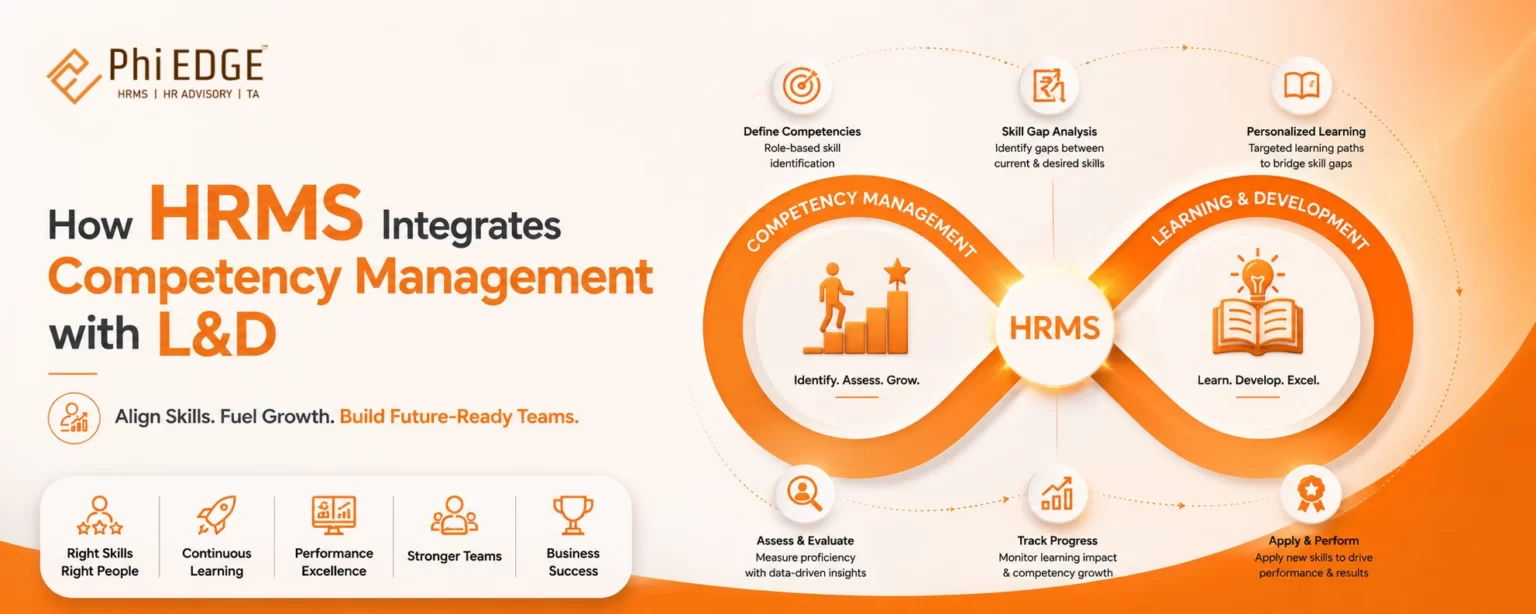
    Competency Framework → Competency Mapping → Employee Skill Mapping → Assessment → Gap Identification → Training Needs Analysis → Learning Intervention → Post-Training Assessment → Competency Improvement → Performance & Career Decisions

    HR defines required competencies and proficiency levels per role, then maps each employee against that framework through structured assessment. The system automatically flags gaps between required and current proficiency. L&D reviews these flagged gaps to decide what intervention is actually needed, assigns a targeted learning path, and tracks participation. After the intervention, a post-training assessment checks whether proficiency genuinely improved, and the updated score feeds into performance reviews, development plans, and succession discussions.

    The value isn’t any single step — it’s that each step’s output automatically becomes the next step’s input, instead of HR manually reconciling data across disconnected systems.

    Role of Competency Mapping in L&D

    Competency mapping is the foundation everything else depends on. It connects job roles, required competencies, required proficiency levels, and each employee’s current and desired proficiency. When maintained in the HRMS rather than static documents, this mapping becomes the reference point for every downstream decision — what training gets assigned, what gets discussed in a one-on-one, what gets flagged for promotion. This is what makes Employee Skill Mapping genuinely personalised: two employees in the same role with different proficiency get different development plans, not the same course.

    Skills Gap Analysis Vs Competency Gap Analysis

    Aspect Skills Gap Analysis Competency Gap Analysis
    Focus Specific, discrete abilities (a tool, a certification) Broader combination of knowledge, behaviour, judgment
    Measurement Often proficiency-scaled against a defined skill Rated against a proficiency scale within a framework
    Typical use Technical readiness, hiring criteria Leadership development, succession decisions
    Data source Skills inventories, certifications Manager assessments, 360-degree feedback

    Most organisations need both. A Skills Gap Analysis identifies who needs a specific certification; a Competency Gap Analysis identifies which managers need coaching in delegation before a leadership role. An integrated HRMS supports both because granular skill data and competency assessment data sit in the same employee profile.

    How a Skills Matrix Supports Employee Development?

    A Skills Matrix is a visual grid mapping employees against relevant skills, showing proficiency per cell. Generated from live assessment data, it helps HR and managers spot high-skill employees who could mentor others, critical skill shortages, training priorities, internal mobility opportunities, succession candidates, and future capability requirements. A matrix maintained manually in a spreadsheet is usually outdated within a quarter; one generated from the HRMS stays current.

    From Training Needs Analysis to Personalized Learning

    Training Needs Analysis (TNA) determines what training is actually required, based on evidence rather than assumption:

    Role Requirements → Employee Assessment → Gap Identification → Training Need → Learning Program → Assessment → Measurement

    A traditional training calendar asks, “What should we run this quarter?” A data-driven TNA asks, “Which specific employees have which specific gaps, and what closes them?” Assigning the same training to an entire department wastes time for employees who don’t need it and often under-serves the ones who do. Personalised, gap-driven learning paths are more likely to move the needle on the competency that was actually flagged.

    How AI Can Improve Personalization in L&D

    AI-Powered Learning and Development is worth being precise about. Realistic, current applications include identifying potential learning needs by scanning assessment data at scale, recommending content matched to a specific gap, supporting personalised learning paths, and flagging recurring gaps across a team — for example, “delegation” appearing repeatedly among first-time managers, pointing to a systemic on boarding issue rather than an individual one.

    What AI isn’t: a replacement for manager judgment or a substitute for well-designed competency frameworks. It works with the data it’s given — if assessments are inconsistent, AI recommendations will be too.

    Connecting Competencies with Performance Management

    Competency-Based Performance Management links demonstrated behaviour against defined competencies to how employees are formally evaluated. When competency data feeds directly into performance management, reviews reference specific competencies rather than general impressions, development plans are built from identified gaps, and succession planning draws on real proficiency data rather than tenure. This is also where the loop closes on measuring training impact: if a competency score improves after an intervention, that’s tangible evidence — not just a completion certificate.

    Skills-Based Talent Management

    Skills-Based Talent Management shifts workforce planning from managing people by job title to managing them by demonstrated capability — using skill mapping, skills matrices, and competency profiles to inform internal mobility, career pathways, and succession planning. This matters more as skill half-lives shorten: the WEF estimates employers expect roughly 39% of workers’ core skill sets to change by 2030. Organisations that can see actual skills, not just titles, are better positioned to redeploy talent internally rather than defaulting to external hiring for every gap.

    Practical Example: From Competency Gap to Improved Capability

    A Sales Manager’s role requires strategic selling, negotiation, CRM, and team leadership. A quarterly assessment rates them below required proficiency in strategic selling. The system flags the gap; L&D reviews it against similar flags across the team; a targeted module is assigned and tracked; a post-training assessment checks applied understanding, not just attendance; the competency is reassessed next cycle; and the improved score feeds into the performance review and, over time, a leadership-readiness conversation. The value is the sequence — each stage’s data feeds the next.

    Benefits Across the Organisation

    • HR — centralised data, less manual reconciliation, more defensible talent decisions
    • L&D teams — training grounded in real gaps, easier measurement of impact
    • Managers — visibility into team capability, better-structured development conversations
    • Employees — personalised development and clear visibility into what the next role requires
    • Business leaders — workforce capability aligned to strategy, gaps surfaced early

    What to Look for in an HRMS with Competency and L&D Integration?

    A genuinely integrated platform — not two bolted-together modules — should include: configurable competency frameworks; competency and employee skill mapping; an auto-generated skills matrix; structured assessments (including 360-degree input); data-driven Training Needs Analysis; a training calendar with nomination and attendance tracking; pre- and post-training assessments; configurable learning paths; competency dashboards; performance management integration; analytics; responsible AI capabilities; LMS integration; and employee/manager self-service. The strongest signal of real integration: a flagged competency gap should trigger a training recommendation without HR manually moving data between modules.

    How Phi EDGE HRMS Supports This Integration

    Phi EDGE HRMS is built around the idea that competency data shouldn’t sit in an appraisal file waiting for someone to act on it. Within the platform, this shows up through competency tracking and behavioural assessment, Training Needs Identification, an annual training calendar, employee training nomination and attendance tracking, digital pre- and post-training assessments, competency-based appraisals integrated with performance management, talent mapping via the 9-Box Talent Grid, and an LMS-integrated learning ecosystem. The point isn’t a new category of software — it’s that these modules are built to talk to each other, so a flagged gap doesn’t require a separate system or spreadsheet to become a training action.

    FAQ

    What is a Competency Management System?

    HR technology that defines competency frameworks, assesses employees against them, and maps resulting gaps — replacing manual, spreadsheet-based tracking.

    How does HRMS support competency mapping?

    By maintaining role-based requirements and comparing assessed proficiency against them to surface gaps automatically.

    Skills Gap Analysis Vs Competency Gap Analysis?

    The former targets discrete abilities like tools or certifications; the latter looks at broader behavioural capability rated on a proficiency scale.

    What’s the role of AI in L&D?

    Pattern recognition, content recommendation, and personalisation at scale — not a replacement for manager judgment or sound competency data.

    How does a Skills Matrix help HR teams?

    A current, single view of who has which skills at what proficiency, useful for spotting shortages and succession candidates.

    How can competency data support performance management?

    By feeding directly into reviews, development plans, and succession decisions, grounded in demonstrated capability.

    Conclusion

    Competency data shouldn’t end with an assessment sitting in a file. It should trigger action — a targeted learning intervention, a development plan, a re-measured competency. If a competency gap identified in your last appraisal cycle doesn’t automatically inform what training your team runs next quarter, that’s a reasonable starting point for evaluating whether your current HRMS actually connects competency management with L&D — or simply houses them side by side.

    Related Resources

    About the Author

    Prabhakar Mendhe is Business Head at Phi EDGE HR Tech Private Limited, with 26 years of experience across Business HR, Performance Management, Soft Skills Facilitation, Coaching, and HR Consulting.

  • Competency-Based Career Development: A Guide for Modern Organizations

    Competency-Based Career Development: A Guide for Modern Organizations

    For decades, career development followed a simple, mostly unquestioned path: Job Title → Promotion → New Responsibilities. Tenure and performance ratings did most of the talking.

    That path is breaking down. A strong performer doesn’t automatically have the delegation, coaching, or decision-making ability a bigger role demands a promotion doesn’t create those capabilities on its own. Meanwhile, the skills required inside existing roles are shifting faster than annual review cycles can track, particularly as AI and automation reshape day-to-day work.

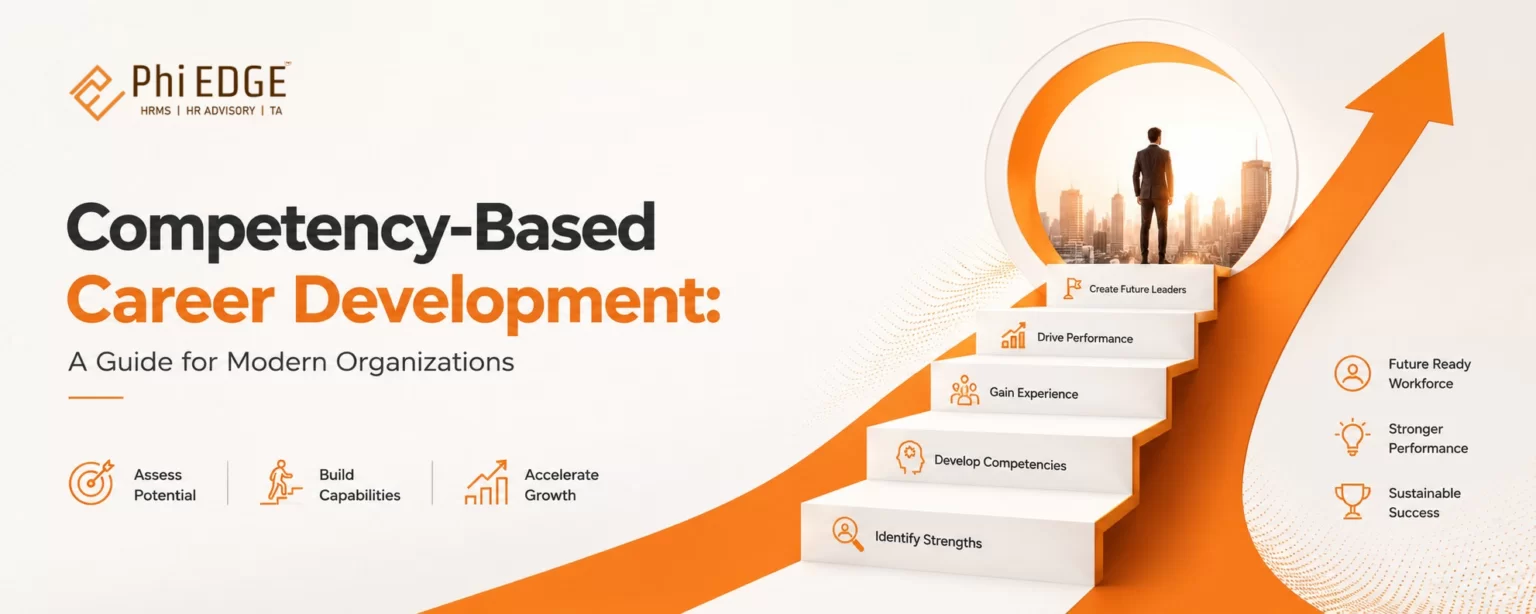
    Competency-based career development follows a different sequence instead: Skills → Competencies → Development → Performance → Career Growth. Rather than moving people up a ladder based on job title and time served, it maps what a role actually requires, measures how close an employee is to that requirement, and builds a plan to close the gap. This guide, brought to you by the team at Phi EDGE HRMS, walks through what that looks like in practice, the frameworks, the common pitfalls, and where HR technology genuinely helps.

    What Is Competency-Based Career Development?

    Competency-based career development is an approach that plans employee growth around the specific knowledge, skills, and behaviours a role requires, rather than around job titles, tenure, or general work experience.

    It differs from two more traditional models: job-based development, which assumes performing well in Role A qualifies someone for Role B simply because B is the “next step,” and experience-based development, which assumes years in a function translate into readiness. Competency-Based Career Development: A Guide for Modern Organisations. Competency-based development instead asks: what does this specific role need, and does this employee have it? The logic runs: Role → Required Competencies → Employee’s Current Skill Level → Gap → Development Plan → Career Path

    Consider a common scenario: a technically excellent senior software engineer gets promoted to engineering manager. Six months in, sprint planning is chaotic and delegation barely happens. The engineer didn’t lack capability; the organisation never assessed whether leadership and delegation competencies existed before handing over a role that depended on them. Competency-based development is designed to catch that gap before the promotion, not after.

    Why Competency-Based Career Development Matters Today?

    Several trends make this approach more urgent than it was even five years ago. According to the World Economic Forum’s Future of Jobs Report 2025, based on responses from more than 1,000 global employers, nearly 39% of core workforce skills are expected to be transformed or become obsolete by 2030. The same report finds that 59% of the global workforce will need some form of retraining by 2030, and 85% of employers plan to prioritise upskilling over that period.

    Hiring is moving in the same direction. LinkedIn’s 2025 Workplace Learning Report indicates that around half of hiring managers now use some form of skills-based hiring, rewriting job descriptions around required competencies rather than degree requirements. Internal mobility is lagging, even though the same report found that only about 24% of organisations currently have structured internal mobility programmes, even though companies that invest in this tend to retain talent longer.

    The Role of Competency Mapping in Career Development

    Competency mapping is the process of identifying and documenting the specific technical, behavioural, and leadership competencies required for a role, along with the proficiency level expected at each stage of that role.

    A thorough competency map typically covers technical competencies (role-specific tools and domain knowledge), behavioural competencies (communication, adaptability, problem-solving), leadership competencies (delegation, decision-making, and coaching), and proficiency expectations at each level, from entry to expert.

    Once a role is mapped, HR can compare it against an individual’s actual capability, a process often called employee skill mapping. This is where the gap between “capable in the current role” and “ready for the next one” becomes visible.

    Example: A regional sales executive consistently exceeds quota and knows the CRM inside out. Competency mapping for the Sales Manager role, however, shows requirements around coaching and cross-functional negotiation, none of which show up in quota numbers. Without mapping the target role explicitly, that gap stays invisible until after the promotion.

    Skills Matrix Vs Competency Framework: What’s the Difference?

    These two terms get used interchangeably, but they serve different purposes.

    Skills Matrix Competency Framework
    Primary focus What skills employees currently have vs. what’s required Broader definition of knowledge, skills, behaviours, and attitudes needed for a role
    Scope Usually narrower — specific, often technical, skills Includes technical, behavioural, and leadership dimensions
    Typical use Quick view of skill availability and coverage across a team Structuring career paths, performance criteria, and development plans
    Granularity Proficiency scored per skill (e.g., 1–5 scale) Defines expected behaviours at each proficiency level

    A skills matrix is the more tactical tool useful for staffing decisions or short-term training planning. A competency framework is the strategic layer, tying those skills to what a career path demands over time. In practice, the two work best together: the matrix gives you a current-state inventory, and the framework gives that inventory direction.

    How Skills Gap Analysis and Competency Gap Analysis Support Career Growth?

    These two are related but not identical, and conflating them leads to poorly targeted training.

    Skills Gap Analysis compares an employee’s current, specific skills (technical or functional) against what’s required for their role today. For example, whether someone can use a particular software tool or execute a defined process.

    Competency Gap Analysis looks at a broader, more behavioural picture whether someone has the judgment, leadership, or interpersonal capability a role (current or future) demands.

    Example: An employee might pass every skill check on the company’s CRM logging calls, updating pipelines, generating reports and still lack the competency to manage a sales team, because managing people requires coaching ability and accountability that a tool-proficiency test never measures.

    The distinction matters because the fix differs. A skills gap is closed with a specific training module. A competency gap usually needs coaching, mentoring, or stretch assignments not a one-off course. Running both analyses together, rather than treating “training needs” as one undifferentiated bucket, is what allows HR to build targeted development plans instead of generic ones.

    From Training Needs Analysis to Personalized Development

    The traditional process looks like this: Employee raises a need → Manager approves → the employee is enrolled in a generic program. It’s reactive, rarely tied to actual performance data, and tends to over-serve popular, easy-to-schedule courses.

    A more effective Training Needs Analysis follows a different sequence: Competency Assessment → Gap Identification → Training Needs Analysis → Personalized Development Plan → Training Delivery → Reassessment → Performance Improvement.

    This is where Learning and Development Software, L&D Management Software, and Employee Training Management Software earn their place. Rather than managing course catalos in isolation, these platforms can connect to competency and skills-gap data, so recommendations reflect documented gaps rather than a manager’s best guess.

    Connecting Competency Management with Performance Management

    Competency data loses much of its value when it lives only inside the L&D function, disconnected from how performance is actually reviewed. Competency-based performance management ties KPIs and KRAs (which measure what was delivered) to competencies (which explain how it was delivered). Outcome metrics alone don’t tell you why performance is inconsistent.

    Example: A customer support team lead hits resolution-time targets, but team engagement is declining, and turnover is creeping up. The KPI data looks fine. Layering in competency data, coaching and feedback delivery specifically reveals the lead manages tickets well but not people. A pure metrics review would miss that; a connected view surfaces it.

    When reviews, development goals, and training outcomes share a competency structure, they stop being separate conversations and start informing each other.

    How Technology Enables Competency-Based Career Development

    A modern Competency Management System typically brings together capabilities that are hard to maintain manually: centralised competency libraries and role-based mapping, employee skill profiles built from assessments and performance data, skills matrix views across teams, automated gap identification, development plans linked to specific gaps, training recommendations, progress tracking, and reporting for workforce planning.

    Whether an organization calls this a competency management system or competency management software, the underlying need is the same: a single, current source of truth for role requirements and employee capability. Platforms such as Phi EDGE HRMS are built around this idea, bringing competency, performance, and L&D data into one place rather than leaving HR teams to reconcile it by hand. For many organizations, the alternative is spreadsheets maintained by different people in different formats: one for competency definitions, another for scores, and another for training records. It’s an understandable starting point, but it creates real problems: data goes stale, managers score the same competency inconsistently with no shared calibration, and nobody has a single view connecting competencies to training history and performance. A connected system doesn’t remove the need for HR judgement; it just gives that judgement better, more current data to work with.

    The Role of AI in Competency and Career Development

    AI-powered learning and development is increasingly used to support, not replace, the analysis HR teams already do: flagging likely skill gaps from role requirements and assessment history, recommending learning content matched to a specific gap, personalising the pacing of a development path, analysing patterns across large volumes of competency data, and surfacing emerging skill needs as role requirements shift.

    It’s worth being direct about the limits. AI can process competency data faster than any HR team could manually, but it cannot decide, on its own, whether an employee is ready for promotion or how to have a sensitive career conversation. Those remain judgement calls for managers and HR professionals. AI is most useful for surfacing patterns and recommendations that a human then reviews, not as a replacement decision-maker.

    A Practical Framework for Implementing Competency-Based Career Development

    1. Define critical roles with outsized business impact or turnover risk, rather than mapping every role at once.
    2. Identify required competencies (technical, behavioural, and leadership) for each critical role.
    3. Establish proficiency levels so “beginner” through “expert” is defined, not left to manager interpretation.
    4. Map employee skills using self-assessment, manager assessment, and available performance data.
    5. Identify gaps through both skills gap analysis and competency gap analysis.
    6. Build individual development plans with specific, time-bound goals rather than generic “attend training” line items.
    7. Connect learning to the specific gap identified, not the nearest course in the catalogue.
    8. Measure progress by reassessing competencies, not just tracking course completion.
    9. Connect development to career progression and feed updated competency data into promotion and succession decisions.

    Common Challenges Organizations Face

    Challenge Practical Response
    Incomplete competency frameworks Start with critical roles; expand gradually
    Subjective, inconsistent assessments Define proficiency levels clearly and calibrate managers
    Outdated skills data Build a regular reassessment cadence, not a one-time exercise
    Excel-based tracking Consolidate into a single system of record where feasible
    Generic training programs Tie recommendations to a specific, documented gap
    Low manager participation Fold assessment into existing review cycles
    Disconnected L&D and performance data Use shared competency definitions across both
    Difficulty measuring training impact Reassess competency post-training, not just completion rates
    Employee resistance Frame assessment around growth, not evaluation alone
    Lack of continuous assessment Shift from annual reviews to lighter, frequent check-ins


    How Organizations Can Measure the Success of Competency-Based Career Development?

    Training completion rates are the easiest metric to track and the least meaningful on their own they measure participation, not capability change. More useful indicators include competency score improvement over time, internal mobility rates, promotion readiness (meeting target competency levels before a role change), time to proficiency for new hires or newly promoted employees, and skill coverage across critical roles.

    The organizations that get the most value from this approach track capability improvement and business outcomes retention in critical roles, reduced time-to-proficiency, stronger succession bench strength rather than treating completed training hours as the finish line.

    Competency-Based Career Development Example

    Consider a mid-sized organization with roughly 700 employees across sales, operations, and technology. Leadership notices first-time managers struggling engagement scores are inconsistent, and several recently promoted managers are asking to step back into individual contributor roles.

    HR maps the Manager-level competencies required across departments coaching, delegation, conflict resolution, feedback and builds a skills matrix for likely promotion candidates. The data shows a consistent pattern: strong technical proficiency, but a leadership and coaching gap across nearly 60% of employees flagged as promotion-ready.

    Rather than enrolling everyone in a generic “leadership fundamentals” course, HR runs a Training Needs Analysis and segments the group by specific gap, some need delegation practice, others need feedback-delivery skills. Development plans combine targeted coaching, peer mentoring, and short modules matched to each gap. Six months later, competencies are reassessed to check whether scores actually improved, not just whether modules were completed, and the updated scores feed into performance conversations and the next round of promotion decisions.

    Building a Future-Ready Learning and Development Strategy

    A durable learning and development strategy connects business direction to individual development, rather than running as a parallel, disconnected calendar of courses: Business Strategy → Workforce Skills Needed → Competencies → Skill Gaps → Learning → Performance → Career Development.

    That means L&D planning starts with where the business is heading new markets, new technology, changing customer expectations and works backward to the competencies needed, rather than starting from an existing course catalogue. It also means shifting away from annual training calendars as the primary planning unit; skills are changing too quickly for once-a-year cycles to keep pace. Continuous, smaller-scale assessment built into regular check-ins tends to hold up better against fast-moving skill requirements.

    This is one of the areas where an integrated HRMS earns its place not by replacing HR judgment, but by keeping competency, performance, and learning data connected as the business strategy evolves, so the framework doesn’t need to be rebuilt from scratch every planning cycle. Platforms like Phi EDGE HRMS are designed with this continuity in mind.

    FAQ

    What is competency-based career development?

    An approach to employee growth that plans progression around the specific competencies a role requires technical, behavioural, and leadership rather than job titles, tenure, or general experience.

    What is the difference between skills and competencies?

    Skills are specific, teachable abilities (using a tool, writing SQL). Competencies are broader they combine skills with behaviours and judgment needed to perform a role well, like leadership or decision-making.

    How does competency mapping support career development?

    It documents what a role requires, at what proficiency level, so HR can compare that against an employee’s current capability and identify where development is needed before a role change.

    How does a Competency Management System help HR teams?

    It centralizes frameworks, skill profiles, gap analysis, and development tracking, replacing fragmented spreadsheets with a consistent view of workforce readiness.

    What is the difference between Skills Gap Analysis and Competency Gap Analysis?

    Skills Gap Analysis compares technical abilities against role requirements. Competency Gap Analysis looks at broader behavioural and leadership capability. Both are needed for an accurate development plan.

    How does AI support employee development?

    It flags likely skill gaps, recommends learning, and personalizes development paths from data patterns supporting HR decisions, not replacing the judgment needed for calls like promotion readiness.

    How can organizations connect L&D with performance management?

    By using a shared competency framework across both functions, so reviews, development goals, and training records reference the same definitions instead of operating as separate processes.


    About the Author

    Gaurav Anoop is the Sales Head at Phi EDGE HRMS, specializing in HR technology, workforce management, and digital HR transformation. He works closely with organizations to identify technology-driven HR solutions that improve efficiency, employee management, and business growth. Through his articles, he shares practical insights on HRMS, talent management, L&D, competency management, and modern HR practices.

    Related Resources


  • Best HR Software in India 2026: Features, Benefits, Comparison & Buying Guide | Phi EDGE

    Best HR Software in India 2026: Features, Benefits, Comparison & Buying Guide | Phi EDGE

    Managing employees manually is becoming increasingly difficult as businesses grow. Payroll mistakes, attendance discrepancies, leave tracking, compliance management, and performance monitoring can consume valuable HR time. Modern organizations need a centralized, intelligent solution that simplifies workforce management while improving employee experience.

    This comprehensive guide explains how to choose the best HR software in India in 2026, compares essential features, highlights real business use cases, and shows why Phi EDGE HRMS is trusted by organizations seeking scalable, secure, and automation-driven HR management.

    Quick Answer

    If you’re looking for the best HR software in India in 2026, choose a solution that combines payroll, attendance, leave management, recruitment, employee self-service, compliance, analytics, and AI-powered automation in a single platform. Phi EDGE HRMS provides these capabilities with a user-friendly interface suitable for startups, SMEs, and large enterprises.

    Table of Contents

    • What is HR Software?
    • Why Businesses Need HR Software in 2026
    • Key Features
    • Benefits
    • Real Business Examples
    • HR Software Comparison
    • How to Choose the Right HRMS
    • Why Choose Phi EDGE
    • Frequently Asked Questions
    • Client Reviews
    • Final Thoughts

    What is HR Software?

    HR software is a digital platform that automates human resource operations, including employee records, payroll, attendance, leave management, recruitment, onboarding, performance tracking, compliance, and reporting.

    Instead of using spreadsheets and disconnected systems, organizations manage their workforce from one secure dashboard.

    Why HR Software is Essential in 2026

    Today’s workplaces demand flexibility, automation, and real-time visibility. Businesses are adopting cloud-based HR platforms to improve efficiency and ensure compliance with evolving labor regulations.

    Modern HR software helps organizations:

    • Reduce manual administrative work
    • Improve payroll accuracy
    • Automate attendance and leave approvals
    • Simplify statutory compliance
    • Enhance employee engagement
    • Generate actionable HR insights
    • Support hybrid and remote teams

    Top Features Every HR Software Should Include

    Employee Information Management

    Maintain centralized employee records, contracts, documents, and organizational hierarchy in one place.

    Payroll Automation

    Automatically calculate salaries, deductions, bonuses, reimbursements, taxes, and statutory contributions with minimal manual effort.

    Attendance Management

    Track attendance using biometric devices, mobile apps, GPS, facial recognition, or web-based check-ins.

    Leave Management

    Employees can apply for leave online while managers approve requests instantly. Leave balances update automatically.

    Recruitment & Onboarding

    Streamline hiring by managing job postings, applications, interview scheduling, document collection, and onboarding tasks.

    Employee Self-Service Portal

    Enable employees to access payslips, tax documents, leave balances, attendance history, and personal information without HR assistance.

    Performance Management

    Set goals, conduct appraisals, gather feedback, and monitor employee performance throughout the year.

    Compliance Management

    Stay compliant with labor laws by automating statutory calculations, documentation, and reporting requirements.

    Analytics & Reports

    Generate reports on workforce trends, payroll expenses, attendance, attrition, and performance to support informed decision-making.

    Benefits of Using HR Software

    Increased Productivity

    Automation reduces repetitive HR tasks, allowing teams to focus on strategic initiatives.

    Improved Accuracy

    Automated calculations minimize payroll and attendance errors.

    Better Employee Experience

    Employees gain easy access to HR services through self-service portals.

    Cost Savings

    Reduced paperwork and manual processing lower administrative costs.

    Enhanced Data Security

    Role-based access and cloud security protect sensitive employee information.

    Scalable Operations

    As businesses grow, HR software adapts to increasing workforce requirements without significant process changes.

    Real Business Examples

    Example 1: Manufacturing Company

    A manufacturing firm with 500 employees automated attendance, shift scheduling, and payroll processing. Payroll preparation time decreased from five days to a few hours.

    Example 2: IT Company

    A software company introduced employee self-service and digital leave approvals, reducing HR support requests and improving employee satisfaction.

    Example 3: Retail Business

    A retail chain centralized HR operations across multiple branches, enabling real-time attendance monitoring and standardized payroll processing.

    HR Software Comparison

    Feature Traditional HR Modern HR Software Phi EDGE HRMS
    Payroll Manual Automated ✔
    Attendance Spreadsheet Real-Time ✔
    Leave Paper Forms Online ✔
    Employee Portal No Yes ✔
    Recruitment Manual Digital ✔
    Reports Limited Advanced ✔
    Compliance Manual Automated ✔
    Cloud Access No Yes ✔

    Buying Guide: How to Choose the Best HR Software

    Evaluate Business Size

    Choose software that supports your current workforce and future expansion.

    Prioritize Automation

    Look for automated payroll, attendance, and compliance features to reduce manual work.

    Check Integration Options

    Ensure compatibility with biometric devices, accounting systems, ERP platforms, and other business tools.

    Review User Experience

    An intuitive interface encourages employee adoption and reduces training time.

    Assess Customer Support

    Reliable implementation assistance and ongoing technical support are essential.

    Consider Data Security

    Verify encryption, access controls, backups, and compliance with data protection standards.

    Why Choose Phi EDGE HRMS?

    Phi EDGE HRMS is designed to simplify HR management for organizations across industries.

    Key Advantages

    • Cloud-based HRMS platform
    • End-to-end payroll automation
    • Attendance and leave management
    • Employee self-service portal
    • Recruitment and onboarding tools
    • Performance management
    • Compliance support
    • Advanced dashboards and analytics
    • Scalable architecture
    • Secure data management

    Frequently Asked Questions

    Which is the best HR software in India for 2026?

    Businesses should look for software offering payroll, attendance, leave management, recruitment, compliance, analytics, and employee self-service in one platform. Phi EDGE HRMS is a strong option for organizations seeking an integrated solution.

    Is HR software suitable for small businesses?

    Yes. Cloud-based HR software helps startups and SMEs automate essential HR processes without significant infrastructure costs.

    Can HR software manage payroll?

    Yes. Modern HR software automates salary calculations, deductions, reimbursements, tax processing, and payslip generation.

    Is employee data secure?

    Reputable HR platforms implement encryption, role-based permissions, and secure cloud infrastructure to protect employee information.

    Does HR software support remote work?

    Yes. Employees can mark attendance, apply for leave, access documents, and communicate with HR from any location.

    Client Testimonials

    ⭐⭐⭐⭐⭐ Manufacturing HR Manager

    “Payroll processing became significantly faster, and attendance management is now completely automated. The platform has simplified our HR operations.”

    ⭐⭐⭐⭐⭐ IT Company HR Lead

    “The employee self-service portal reduced routine HR queries and improved overall efficiency. Our team appreciates the ease of use.”

    ⭐⭐⭐⭐⭐ Retail Operations Manager

    “Managing multiple branches was challenging before implementing HR software. We now have centralized visibility into attendance, payroll, and workforce performance.”

    Expert Advice

    When selecting HR software, focus on long-term value rather than just initial cost. Consider scalability, automation capabilities, compliance support, ease of use, integration options, security, and vendor support. A comprehensive HRMS should adapt as your organization grows while helping HR teams become more strategic.

    Conclusion

    The right HR software can transform workforce management by automating repetitive tasks, improving accuracy, strengthening compliance, and enhancing employee experience. As organizations continue to embrace digital transformation in 2026, investing in a robust HRMS becomes a strategic advantage.

    Whether you’re a startup, SME, or enterprise, choosing a scalable platform with payroll, attendance, recruitment, performance management, and analytics can streamline operations and support sustainable business growth. Phi EDGE HRMS offers an integrated approach designed to meet these evolving HR needs.

  • Employee Appraisal System: Complete Guide to Features, Benefits & Best Practices in 2026

    Employee Appraisal System: Complete Guide to Features, Benefits & Best Practices in 2026

    Introduction

    Performance reviews are changing quickly. Employees no longer want to wait an entire year to discover whether they are performing well. Managers need clearer goals, HR teams need reliable performance data, and business leaders want appraisal decisions that are fair, measurable and connected to business outcomes.

    An employee appraisal system helps bring these requirements together in one structured process. Instead of managing reviews through spreadsheets, emails and disconnected documents, organizations can use technology to manage goals, KRAs, feedback, ratings, development plans and appraisal cycles.

    This is particularly important in 2026 because employee engagement remains a major workplace challenge. Gallup’s 2026 global workplace research reports that only 20% of employees were engaged globally in 2025, while manager engagement fell to 22%.

    For Indian businesses, a modern employee appraisal system can therefore become more than an HR tool. It can support performance culture, employee development, succession planning and better workforce decisions.

    Table of Contents

    1. Quick Answer
    2. What Is an Employee Appraisal System?
    3. How It Works
    4. Why Performance Appraisal Matters in 2026
    5. Benefits
    6. Key Features
    7. Before vs After
    8. Case Study
    9. Statistics
    10. Competitor Comparison
    11. Common Mistakes
    12. Best Practices
    13. HR Performance Management Workflow
    14. Image SEO Tips
    15. GEO Optimization Tips
    16. LLM Optimization Tips
    17. Internal Linking Suggestions
    18. Image Alt Text Suggestions
    19. E-E-A-T
    20. FAQs
    21. Conclusion and CTA
    22. References

    Quick Answer:

    What Is an Employee Appraisal System?

    An employee appraisal system is a digital HR solution that helps organizations plan, monitor, evaluate and document employee performance.

    It can bring together:

    • Goals and KPIs
    • KRAs
    • Self-appraisal
    • Manager reviews
    • 360-degree feedback
    • Continuous performance reviews
    • Competency assessments
    • Performance ratings
    • Salary-hike recommendations
    • Performance reports
    • Employee development plans

    In simple terms, an employee appraisal system replaces scattered appraisal spreadsheets and manual review processes with a centralized, measurable and more transparent performance-management workflow.

    What Is an Employee Appraisal System?

    An employee appraisal system is software designed to help HR departments and managers evaluate employee performance against predefined goals, responsibilities, competencies and organizational expectations.

    A traditional appraisal may involve an Excel sheet, emails and several rounds of manual follow-ups. A modern system creates a structured digital process where employees can complete self-assessments, managers can provide feedback and HR can monitor the entire cycle.

    Modern performance-management platforms commonly support goals, KRAs, 360-degree feedback, self-appraisals, continuous reviews and performance reporting.

    The biggest advantage is consistency. Every employee can be evaluated according to a defined framework rather than relying entirely on memory or subjective opinions.

    How Does an Employee Appraisal System Work?

    A typical employee appraisal system follows these stages:

    1. Goal Setting

    HR or managers define goals, KPIs and KRAs for each employee.

    2. Performance Tracking

    Progress is monitored throughout the review period rather than only at the end.

    3. Self-Appraisal

    Employees document their achievements, challenges and development areas.

    4. Manager Review

    Managers evaluate performance using measurable criteria and written feedback.

    5. 360-Degree Feedback

    Feedback may be collected from managers, peers, team members or other stakeholders.

    6. Rating and Calibration

    HR reviews ratings and may use calibration or normalization to improve consistency.

    7. Development Planning

    The results can identify training, mentoring and career-development requirements.

    8. Rewards and Salary Review

    Organizations can connect performance outcomes with recognition, promotions or salary revisions according to company policy.

    This approach makes the employee appraisal system an ongoing performance process rather than a once-a-year administrative exercise.

    Why Is Employee Appraisal Important in 2026?

    The workplace has become more dynamic. Employees may work remotely, across locations or on constantly changing projects. As a result, managers need better ways to communicate expectations and measure outcomes.

    Gallup’s 2026 research found global employee engagement at 20% for 2025, its lowest level since 2020. The report also found that manager engagement declined from 27% in 2024 to 22% in 2025.

    This makes regular feedback especially valuable.

    Another important issue is that traditional reviews can consume considerable time while providing limited value. Deloitte’s 2025 Human Capital Trends research reported that only 32% of executives surveyed said their performance approach enabled timely, high-quality talent decisions.

    A well-designed employee appraisal system helps organizations move toward:

    • Continuous feedback
    • Objective goal measurement
    • Better manager-employee communication
    • Data-driven talent decisions
    • Transparent career development

    Benefits of an Employee Appraisal System

    1. Better Performance Visibility

    HR and managers can see employee goals, ratings, progress and feedback from one centralized platform.

    2. More Transparent Reviews

    Clearly defined criteria can reduce confusion around how performance is evaluated.

    3. Continuous Feedback

    Instead of waiting until year-end, managers can provide feedback during the performance cycle.

    4. Improved Employee Development

    Performance gaps can be converted into learning and development plans.

    5. Reduced Administrative Work

    Automated workflows reduce repetitive emails, spreadsheets and manual tracking.

    6. Better Promotion Decisions

    Historical performance data provides useful evidence when evaluating employees for promotion.

    7. Stronger Employee Engagement

    Recognition and meaningful feedback can help employees understand how their work contributes to organizational goals.

    8. Data-Driven HR Decisions

    HR teams can identify performance trends across departments, roles and business units.

    Gallup’s meta-analysis of more than 183,000 work units found that employee engagement was associated with multiple business outcomes, including productivity, profitability, turnover and absenteeism.

    Key Features to Look For

    A strong employee appraisal system should ideally include:

    Feature Purpose
    Goal Setting Defines measurable objectives
    KPI/KRA Tracking Measures role-specific performance
    Self-Appraisal Gives employees a voice
    Manager Review Enables structured evaluation
    360-Degree Feedback Collects multiple perspectives
    Continuous Reviews Enables regular check-ins
    Competency Tracking Measures skills and behaviours
    Rating Framework Standardizes evaluations
    Calibration Helps improve rating consistency
    Reports & Analytics Supports HR decisions
    Development Plans Identifies growth opportunities
    Salary Integration Connects performance with compensation processes
    Employee Self-Service Gives employees access to relevant information

    For example, Zoho People supports goals, KRAs, 360-degree feedback, customizable appraisal cycles, continuous reviews, self-appraisals and performance reports.

    Phi EDGE also positions performance management within its broader talent-management platform, including goal setting, appraisal cycles and 360-degree feedback.

    Before vs After: Traditional Appraisal vs Digital Appraisal

    Before After
    Excel-based reviews Centralized HR platform
    Manual reminders Automated notifications
    Annual feedback Continuous feedback
    Subjective discussions Goal and KPI-based evaluation
    Multiple spreadsheets One employee performance record
    Difficult reporting Real-time dashboards
    Delayed decisions Faster HR insights
    Limited employee visibility Employee self-service

    The goal isn’t simply to digitize paperwork. The real objective of an employee appraisal system is to make performance conversations more useful and actionable.

    Case Study: Manufacturing Appraisal Transformation

    Phi EDGE has published a case study about a leading manufacturing company with more than 1,500 employees across several plants that faced challenges with its legacy appraisal process. The company needed a better feedback loop and a more structured approach to performance management.

    This example highlights an important lesson: as organizations grow, manual appraisal processes become increasingly difficult to manage.

    A centralized employee appraisal system can help large organizations standardize review cycles while still allowing departments to use role-specific goals and evaluation criteria.

    Employee Appraisal System Statistics

    Here are several useful statistics for HR leaders:

    • Gallup’s 2026 State of the Global Workplace report found global employee engagement at 20% in 2025.
    • Global manager engagement fell from 27% in 2024 to 22% in 2025, according to Gallup.
    • Gallup’s large-scale meta-analysis covered 183,806 business/work units and 3,354,784 employees.
    • Gallup found that top-quartile versus bottom-quartile engaged work units showed a median 23% difference in profitability and 18% difference in productivity (sales).
    • Deloitte reported that only 32% of executives in its 2025 survey said their approach enabled timely, high-quality talent decisions.

    These figures demonstrate why organizations increasingly need structured approaches to performance, feedback and employee development.

    Employee Appraisal System: Competitor Comparison

    Platform Performance Features Best For
    Phi EDGE Goals, appraisal cycles, 360° feedback, talent management Indian organizations seeking integrated HRMS
    Keka Goals, OKRs, continuous feedback, AI-assisted performance tools Growing organizations
    Zoho People Goals, KRAs, 360° feedback, appraisals, continuous reviews SMBs and enterprises
    Darwinbox Enterprise HR and talent-management capabilities Large organizations
    greytHR HRMS and employee-management capabilities Indian SMBs
    factoHR HRMS, performance and workforce management Indian businesses

    Keka currently emphasizes continuous feedback, goals, OKRs and AI-supported performance management. Zoho People provides customizable appraisal cycles, 360-degree feedback and continuous reviews.

    When comparing platforms, companies should evaluate workflow flexibility, integration, reporting, employee experience, security, scalability and total cost—not just the number of features.

    Common Mistakes in Employee Appraisals

    1. Only Reviewing Employees Once a Year

    Annual reviews can miss important achievements and problems.

    2. Using Vague Goals

    “Improve performance” is not a measurable goal.

    3. Rating Personality Instead of Outcomes

    Reviews should focus on relevant behaviours, responsibilities and results.

    4. Ignoring Employee Feedback

    Employees should have an opportunity to explain achievements and challenges.

    5. Making Ratings Completely Subjective

    Clear criteria and supporting evidence can improve consistency.

    6. Treating Appraisal as Only a Salary Exercise

    Performance reviews should also support career development and learning.

    7. Not Training Managers

    Even the best technology cannot fix poor feedback practices.

    Best Practices for Employee Appraisal

    To get better results from an employee appraisal system, organizations should:

    1. Define measurable goals at the beginning of the cycle.
    2. Use role-specific KPIs and KRAs.
    3. Schedule regular manager check-ins.
    4. Combine quantitative and qualitative feedback.
    5. Use 360-degree feedback where appropriate.
    6. Train managers on objective feedback.
    7. Document achievements throughout the year.
    8. Keep rating criteria transparent.
    9. Separate development conversations from purely administrative processes where appropriate.
    10. Use analytics to identify organizational trends.

    Continuous reviews are increasingly relevant because modern performance systems can combine regular feedback with formal appraisal cycles.

    HR Performance Management Workflow

    A practical workflow can look like this:

    Employee Goal Setting → KPI/KRA Mapping → Continuous Tracking → Employee Self-Appraisal → Manager Review → 360° Feedback → Calibration → Final Rating → Development Plan → Recognition/Compensation → Next-Cycle Goals

    This workflow helps HR move from an administrative appraisal process toward continuous performance management.

    For organizations already using HRMS software, connecting performance data with employee records, payroll, attendance and learning can create a more complete employee lifecycle view.

    Why Choose Phi EDGE for Employee Performance Management?

    Phi EDGE approaches HR technology from a broader workforce-management perspective rather than treating appraisals as an isolated HR activity.

    Its talent-management offering includes performance management, goal setting, appraisal cycles, 360-degree feedback, learning and succession planning.

    For businesses evaluating an employee appraisal system, this integrated approach can help connect performance reviews with the wider employee lifecycle.

    Organizations should still evaluate any HRMS against their own requirements, including employee count, workflows, integrations, security requirements, reporting needs and implementation support.

    FAQ: Employee Appraisal System

    1. What is an employee appraisal system?

    It is a software solution used to evaluate employee performance, track goals, collect feedback and manage appraisal cycles.

    2. Why is an employee appraisal system important?

    It creates a structured way to measure performance and support employee development.

    3. What are the main features?

    Common features include goals, KPIs, KRAs, self-appraisal, manager reviews, 360-degree feedback, ratings, analytics and development plans.

    4. What is 360-degree appraisal?

    It collects performance feedback from multiple sources such as managers, peers and team members.

    5. Can appraisals be conducted quarterly?

    Yes. Modern systems can support monthly, quarterly, half-yearly or annual review cycles.

    6. What are KRAs?

    KRAs, or Key Result Areas, define the important areas in which an employee is expected to deliver results.

    7. What are KPIs?

    Key Performance Indicators are measurable metrics used to evaluate progress toward specific objectives.

    8. Can employees complete self-appraisals?

    Yes. Self-appraisal is a common component of modern performance-management systems.

    9. Can performance reviews be linked to salary increases?

    Yes, organizations can connect appraisal outcomes with salary-review workflows according to their policies.

    10. What is continuous performance management?

    It means reviewing goals and providing feedback regularly instead of relying only on an annual review.

    11. Is an appraisal system useful for small businesses?

    Yes. Small businesses can use it to establish clear goals and consistent performance processes as they grow.

    12. Is it useful for large enterprises?

    Yes. Enterprise organizations benefit from centralized performance data, standardized processes and reporting.

    13. How does an appraisal system reduce HR workload?

    Automation can reduce manual reminders, spreadsheet management, review tracking and report preparation.

    14. Can managers track employee goals?

    Yes. Goal and KPI tracking is a common performance-management capability.

    15. Can an appraisal system improve transparency?

    A clearly designed system can improve transparency by documenting goals, feedback, ratings and review processes.

    16. What is performance calibration?

    Calibration is a process used by organizations to review ratings for consistency across teams or departments.

    17. Can appraisal software support remote teams?

    Yes. Cloud-based performance tools can allow employees and managers to participate in reviews regardless of location.

    18. What should companies consider before buying appraisal software?

    Consider features, integrations, scalability, security, reporting, usability, implementation and total cost.

    19. How often should employee performance be reviewed?

    There is no universal frequency. Monthly, quarterly and half-yearly check-ins can complement formal annual appraisals.

    20. How can companies choose the right employee appraisal system?

    Start by defining your appraisal process, goals, KPIs, review methods and reporting requirements, then compare platforms against those needs.

  • 9-Box Grid: Complete Guide to Employee Talent & Performance Management

    9-Box Grid: Complete Guide to Employee Talent & Performance Management

    Introduction: What Is a 9-Box Grid?

    The 9-box grid is a talent-management framework that helps HR teams and managers evaluate employees using two dimensions: current performance and future potential. By placing employees into a simple nine-cell matrix, organizations can identify high performers, emerging leaders, employees who need development, and roles that may require additional support. The 9-box grid is especially useful when companies need to make structured decisions about succession planning, leadership development, promotions, training, and workforce planning. Unlike a simple performance rating, it encourages managers to consider both what an employee is delivering today and what the employee may be capable of achieving in the future. However, the framework works best when organizations use clear definitions, evidence-based assessments, regular reviews, and trained managers rather than relying on subjective opinions. Modern HR software can make this process easier by connecting performance data, goals, competencies, feedback, development plans, and talent reviews in one place. For organizations looking to build a more structured talent-management process, the 9-box grid can provide a practical visual overview while still leaving room for individual employee development and meaningful manager conversations.

    What Is a 9-Box Grid?

    The 9-box grid is a talent-management matrix traditionally used to assess employees based on:

    1. Performance
    2. Potential

    These two dimensions create nine possible categories.

    A typical grid looks like this:

    Performance / Potential Low Potential Medium Potential High Potential
    High Performance Strong Performer High Performer Future Leader
    Medium Performance Solid Contributor Core Talent Emerging Talent
    Low Performance Needs Improvement Development Required Potential but Underperforming

    The exact terminology can differ from one organization to another.

    The important point is that the 9-box grid should not be treated as a permanent label. Employees can move between boxes as their performance, skills, experience, responsibilities, and development change.

    How Does the 9-Box Grid Work?

    The process generally starts by defining what the organization means by performance and potential.

    Step 1 — Measure Performance

    Performance may be assessed using:

    • KPIs
    • KRAs
    • Business targets
    • Quality metrics
    • Project outcomes
    • Customer feedback
    • Manager observations
    • Productivity
    • Goal achievement

    A sales employee, for example, might be evaluated using revenue, conversion rate, customer retention, and achievement against targets.

    Step 2 — Assess Potential

    Potential is different from current performance.

    Managers may consider:

    • Leadership ability
    • Learning agility
    • Problem-solving
    • Adaptability
    • Communication
    • Strategic thinking
    • Ability to handle greater responsibility
    • Interest in career progression

    Why Performance and Potential Should Be Separate

    A common mistake is assuming that a high-performing employee automatically has high potential.

    That isn’t always true.

    Someone can be excellent in their current position without wanting—or being suited—to manage a larger team.

    Similarly, an employee who is currently performing at an average level may have strong learning ability and leadership potential.

    That distinction is one of the main reasons organizations use a 9-box grid.

    The Nine Boxes Explained

    High Performance + High Potential

    These employees are often considered future leadership candidates.

    They may be suitable for:

    • Leadership programs
    • Succession planning
    • Strategic projects
    • Mentoring
    • Expanded responsibilities

    High Performance + Medium Potential

    These employees consistently deliver strong results but may have a more specialized career path.

    Organizations can focus on:

    • Recognition
    • Skill development
    • Career specialization
    • Retention

    High Performance + Low Potential

    These employees may be highly valuable specialists.

    For example, a senior technical expert may produce excellent work without wanting a broader leadership role.

    The right strategy isn’t necessarily promotion. It may be deeper specialization and recognition.

    Medium Performance + High Potential

    This is an interesting category.

    Employees may demonstrate strong capability but haven’t yet reached their expected performance level.

    Managers should investigate whether the gap comes from:

    • Lack of training
    • New responsibilities
    • Poor role fit
    • Insufficient resources
    • Unclear goals

    Medium Performance + Medium Potential

    These employees are often considered core contributors.

    They may benefit from targeted development and clearer career goals.

    Medium Performance + Low Potential

    The focus may be on maintaining performance while improving specific skills or addressing productivity challenges.

    Low Performance + High Potential

    This category requires careful analysis.

    High potential alone doesn’t compensate for poor current performance.

    Managers should identify the reason behind the performance gap before making talent decisions.

    Low Performance + Medium Potential

    A structured improvement plan may be appropriate.

    This could include:

    • Coaching
    • Training
    • Clear KPIs
    • Frequent check-ins
    • Role clarification

    Low Performance + Low Potential

    This category usually requires the most immediate intervention.

    However, managers should first verify that the assessment is fair and that the employee has received appropriate expectations, resources, training, and feedback.

    Why Is the 9-Box Grid Important?

    The modern workplace requires organizations to think beyond annual performance ratings.

    A manager may know that an employee is performing well, but that alone doesn’t answer important questions such as:

    Who could become a future leader?

    Who needs development?

    Which employees have critical skills?

    Where are our succession risks?

    The 9-box grid creates a visual way to begin those conversations.

    It can also help HR teams connect performance management with broader talent-management activities.

    Phi EDGE’s talent-management approach includes areas such as performance management, goal setting, appraisal cycles, 360-degree feedback, learning and succession planning. Phi EDGE Talent Management Software

    Benefits of the 9-Box Grid

    1. Simple Visual Framework

    The matrix makes complex talent information easier to discuss during talent-review meetings.

    2. Supports Succession Planning

    HR teams can identify employees who may be suitable for future critical roles.

    3. Identifies Development Needs

    The framework can reveal employees who need coaching, training, mentoring, or additional experience.

    4. Improves Talent Discussions

    Instead of saying “this employee is good,” managers can discuss performance evidence and future potential.

    5. Supports Leadership Development

    Employees with strong potential can be considered for leadership-development programs.

    6. Helps Workforce Planning

    HR can identify talent gaps and future capability requirements.

    9-Box Grid vs Traditional Performance Rating

    Traditional Performance Rating 9-Box Grid
    Mainly focuses on current performance Looks at performance and potential
    Often produces a single score Places employees into a talent category
    Limited succession insight Useful for succession discussions
    Easier to administer Requires more thoughtful assessment
    Primarily review-focused More closely connected to talent strategy
    May end with the rating Can lead to development planning

    The 9-box grid shouldn’t necessarily replace performance reviews. It can complement them.

    Example of a 9-Box Grid in Practice

    Imagine a technology company has 100 employees.

    During its annual talent review, HR identifies:

    • 10 high-performance/high-potential employees
    • 20 high performers with specialist potential
    • 35 core performers
    • 20 employees requiring development
    • 15 employees needing immediate performance support

    Instead of treating every employee the same way, HR can create different development strategies.

    High-Potential Group

    Offer:

    • Leadership training
    • Mentoring
    • Cross-functional projects
    • Strategic assignments

    Core Talent

    Offer:

    • Skill development
    • Career planning
    • Recognition
    • Role-based training

    Development Group

    Offer:

    • Coaching
    • Clear goals
    • Regular feedback
    • Improvement plans

    This makes the 9-box grid more useful than simply ranking employees from 1 to 10.

    How HR Software Can Improve 9-Box Grid Management

    Managing a 9-box grid manually can become difficult as the workforce grows.

    HR teams may have to collect:

    • Performance ratings
    • Employee goals
    • KPI results
    • Manager feedback
    • Competency assessments
    • Development plans
    • Career information

    An integrated HRMS can centralize this information.

    With a platform such as Phi EDGE, organizations can connect performance management with broader talent-management processes rather than keeping performance data in disconnected spreadsheets.

    For related information, see the internal resource on Talent Management System Software and consider linking this article to relevant Phi EDGE pages covering performance management, HRMS software, employee management, and learning management.

    9-Box Grid and AI in 2026

    AI is changing how HR teams analyze workforce information.

    However, AI should support—not automatically replace—human talent decisions.

    AI-assisted HR systems can potentially help organizations:

    • Identify performance trends
    • Summarize feedback
    • Highlight development gaps
    • Analyze workforce data
    • Recommend learning paths
    • Support succession planning

    The final talent decision should still involve human judgment, context, and appropriate governance.

    For AI-related HR content, organizations can also explore broader research and guidance from Deloitte Insights and SHRM.

    Common Mistakes When Using a 9-Box Grid

    Mistake 1 — Treating Potential as a Guess

    Potential should be based on observable behaviours and evidence.

    Mistake 2 — Assuming High Performance Means High Potential

    Performance and potential are different concepts.

    Mistake 3 — Using the Grid as a Permanent Label

    Employees develop over time.

    Mistake 4 — Ignoring Employee Context

    Managers should consider role changes, new responsibilities, resources, and learning opportunities.

    Mistake 5 — Using It Only for Promotions

    Not every high-potential employee needs immediate promotion.

    Mistake 6 — Creating the Grid Without Follow-Up

    The real value comes from what happens after employees are categorized.

    Best Practices for Using the 9-Box Grid

    Define Clear Criteria

    Create written definitions for each performance and potential level.

    Use Multiple Data Points

    Combine KPIs, goals, competencies, feedback, and business outcomes.

    Train Managers

    Different managers may interpret “high potential” differently. Training improves consistency.

    Calibrate Ratings

    Talent-review meetings can help managers challenge inconsistent assessments.

    Create Individual Development Plans

    Every placement should ideally lead to an appropriate development conversation.

    Review Regularly

    The 9-box grid should reflect current employee information rather than becoming a once-a-year formality.

    9-Box Grid 

    A credible talent-management article should not present the 9-box grid as a magic formula for making employee decisions.

    Good HR practice requires:

    • Evidence
    • Clear criteria
    • Manager accountability
    • Employee development
    • Consistent evaluation
    • Appropriate data governance
    • Regular review

    From an E-E-A-T perspective, HR technology content should also explain both the strengths and limitations of the framework.

    Phi EDGE can strengthen this content strategy by connecting the article to its HRMS and talent-management expertise, product pages, implementation resources, case studies, and relevant HR guides.

    What is a 9-box grid?

    A 9-box grid is a talent-management matrix used to assess employees according to performance and potential.

    What are the benefits of a 9-box grid?

    It can support succession planning, employee development, leadership identification, talent reviews, and workforce planning.

    Is a 9-box grid the same as a performance review?

    No. A performance review primarily evaluates current performance, while a 9-box grid considers both current performance and future potential.

    How often should a 9-box grid be reviewed?

    Organizations can review it annually or more frequently when business priorities, employee roles, or performance information change.

    This question-based structure makes the content easier for search engines and AI systems to interpret.

    Frequently Asked Questions About the 9-Box Grid

    1. What is the 9-box grid?

    The 9-box grid is a talent-management framework that evaluates employees according to their current performance and future potential.

    2. What are the two dimensions of a 9-box grid?

    The two dimensions are generally performance and potential.

    3. Why is it called a 9-box grid?

    It uses three performance levels and three potential levels, creating nine possible cells.

    4. Is the 9-box grid only for managers?

    No. HR teams, business leaders, talent-management professionals, and managers can use it as part of a broader talent-review process.

    5. Can small businesses use a 9-box grid?

    Yes. A smaller organization can use a simplified framework to support employee development and succession planning.

    6. How does the 9-box grid support succession planning?

    It can help identify employees who may have the capabilities needed for future leadership or critical positions.

    7. Does high performance always mean high potential?

    No. An employee can be an excellent performer in their current role without necessarily having the skills, interest, or readiness for a larger role.

    8. Can an employee move between boxes?

    Yes. Performance and potential can change as employees develop new skills, take on responsibilities, or move into different roles.

    9. Is the 9-box grid objective?

    Not automatically. Its quality depends on clear criteria, reliable evidence, manager training, calibration, and consistent processes.

    10. Can HR software support a 9-box grid?

    Yes. HR software can centralize performance, goals, feedback, competency and development information used in talent reviews.

    H3: 11. How does Phi EDGE support talent management?

    Phi EDGE provides HR technology capabilities covering areas such as talent management, performance management, goals, appraisal cycles, feedback, learning, and succession planning.

    H3: 12. How often should companies use the 9-box grid?

    Many organizations use it during formal talent-review cycles, while others update talent information more frequently.

    13. What is the difference between performance and potential?

    Performance describes what an employee is achieving in their current role. Potential refers to their capacity to take on greater responsibilities or more complex roles in the future.

    14. Is the 9-box grid useful for employee development?

    Yes. It can help HR and managers identify different development needs across employee groups.

    15. Can the 9-box grid be used for promotion decisions?

    It can inform promotion discussions, but it should not be the sole basis for a promotion decision.

    16. What information is needed for a 9-box grid?

    Organisations may use performance results, goals, competencies, manager feedback, career aspirations, learning agility, and other relevant evidence.

    17. What is a high-potential employee?

    A high-potential employee is generally someone who demonstrates the capability and behaviours needed to take on greater responsibilities in the future.

    18. What is calibration in talent management?

    Calibration is a process where managers and HR review assessments to improve consistency and challenge potential bias.

    19. What are the limitations of the 9-box grid?

    Potential subjectivity, oversimplification, inconsistent ratings, and misuse of employee categories are common limitations.

    20. Should every employee have a development plan?

    Ideally, every employee should have meaningful development conversations, although the specific plan can differ according to role, goals, and career aspirations.

    Final Thoughts

    The 9-box grid remains a practical framework for organizations that want to connect employee performance with future talent needs. Its greatest value is not the nine boxes themselves. The real value comes from the conversations, evidence, development plans, and decisions that happen around them.

    For HR teams, the next step is to connect talent reviews with performance management, employee goals, feedback, learning, and succession planning.

    With the right HR technology, this process becomes easier to manage and more connected across the employee lifecycle.

    Build a Smarter Talent Management Strategy with Phi EDGE

    If your organization is still managing employee performance, appraisals, talent reviews, and development planning through disconnected spreadsheets, it may be time to modernize.

    Explore Phi EDGE HRMS & Talent Management Software to learn how an integrated HR platform can help bring performance management and talent management together.

    Turn employee data into better talent decisions with Phi EDGE.

  • Top 10 Best HRMS Software in India | Phi EDGE HRMS

    Top 10 Best HRMS Software in India | Phi EDGE HRMS

    Top 10 Best HRMS Software in India | Phi EDGE HRMS

    choosing the right Human Resource Management System (HRMS) can improve productivity, automate repetitive HR tasks, and provide a better employee experience. Managing employees efficiently has become one of the biggest priorities for businesses in 2026. Whether you’re a startup with 20 employees or a large enterprise managing thousands of people,

    From attendance tracking and payroll automation to performance management and employee self-service, modern HRMS platforms simplify HR operations while helping organizations stay compliant with Indian labour laws.

    In this comprehensive guide, we’ll compare the Top 10 HRMS Software in India, discuss their features, benefits, real-world use cases, and explain why Phi EDGE HRMS is becoming the preferred choice for businesses looking for a scalable and AI-powered HR solution.

    Quick Answer 

    If you’re looking for the best HRMS software in India, consider solutions that offer payroll automation, attendance management, leave tracking, employee self-service, recruitment, performance management, and detailed analytics. Phi EDGE HRMS combines these capabilities in one secure and user-friendly platform, making it suitable for startups, SMEs, and enterprise organizations seeking to streamline HR operations and improve workforce productivity.

    Table of Contents

    1. What is HRMS Software?
    2. Why Businesses Need HRMS in 2026
    3. Top 10 Best HRMS Software in India
    4. HRMS Comparison Table
    5. Key Features to Look For
    6. Benefits of HRMS Software
    7. Real Business Examples
    8. Buying Guide
    9. Why Choose Phi EDGE HRMS
    10. Frequently Asked Questions

    What is HRMS Software?

    Human Resource Management System (HRMS) software is a digital platform that helps businesses automate and manage HR activities from a single dashboard.

    Instead of handling employee records, attendance, payroll, leave requests, recruitment, and performance reviews manually, HR professionals can use HRMS software to streamline these processes, reduce administrative workload, and improve accuracy.

    Modern HRMS platforms also support cloud access, mobile applications, AI-powered analytics, and self-service portals, enabling employees and managers to complete HR tasks anytime and from anywhere.

    HRMS typically includes:

    • Employee Information Management
    • Attendance & Shift Management
    • Leave Management
    • Payroll Processing
    • Recruitment & Onboarding
    • Performance Management
    • Expense Reimbursement
    • Employee Self-Service
    • HR Analytics & Reports
    • Compliance Management

    Why Businesses Need HRMS Software in 2026

    The workplace has evolved significantly, with hybrid work models, remote teams, and increasing compliance requirements making manual HR management inefficient.

    Businesses today need software that not only automates HR tasks but also provides real-time workforce insights and improves employee engagement.

    Some of the biggest reasons organizations invest in HRMS software include:

    Reduce Manual Work

    Automating attendance, payroll, leave approvals, and employee records saves HR teams significant time and minimizes human errors.

    Improve Employee Experience

    Employees can access payslips, apply for leave, update personal information, and track attendance through self-service portals without depending on HR personnel.

    Better Decision Making

    Interactive dashboards and analytics help HR managers monitor workforce performance, employee turnover, hiring trends, and attendance patterns.

    Stay Compliant

    HRMS software helps organizations maintain compliance with payroll regulations, statutory deductions, and labor laws while reducing the risk of penalties.

    Increase Productivity

    With repetitive administrative tasks automated, HR teams can focus on strategic initiatives such as employee development, retention, and organizational growth.

    Top 10 Best HRMS Software in India (2026)

    Rank HRMS Software Best For Key Strength
    1 Phi EDGE HRMS SMEs & Enterprises AI-powered HR automation, payroll, attendance, employee self-service
    2 Keka HR Growing Businesses User-friendly interface and payroll automation
    3 greytHR Small & Medium Businesses Payroll and compliance management
    4 Zoho People Businesses using Zoho ecosystem Employee management and workflows
    5 Darwinbox Large Enterprises Enterprise HR transformation
    6 BambooHR Global Organizations Employee lifecycle management
    7 SAP SuccessFactors Enterprises Comprehensive HR suite
    8 Oracle HCM Cloud Large Corporations Global workforce management
    9 factoHR Mid-sized Businesses Attendance and payroll solutions
    10 Zimyo HRMS Startups & SMEs Performance and employee engagement

    Why Phi EDGE HRMS Stands Out

    Selecting an HRMS is not just about automating payroll or attendance—it is about choosing a platform that grows with your business. Phi EDGE HRMS is designed to help organizations simplify HR operations while providing a seamless experience for both HR teams and employees.

    Unified HR Platform

    Phi EDGE HRMS brings essential HR functions together in one centralized platform, reducing the need for multiple software solutions.

    Automation-First Approach

    Routine processes such as attendance tracking, payroll calculations, leave approvals, and employee record management are automated, allowing HR professionals to focus on strategic initiatives.

    Easy-to-Use Interface

    The platform is built with usability in mind, making it simple for HR teams, managers, and employees to navigate and complete tasks efficiently.

    Scalable for Business Growth

    Whether your organization has 20 employees or 2,000, Phi EDGE HRMS is designed to scale alongside your workforce and operational requirements.

    Secure Cloud Access

    Cloud-based infrastructure enables secure access to HR data from any location while supporting modern hybrid and remote work environments.


    Key Features to Look for in HRMS Software

    Choosing the right HRMS software goes beyond comparing prices. A modern HR solution should automate routine tasks, improve employee experience, and provide actionable insights that help businesses make informed decisions. Below are the essential features every organization should evaluate before investing in an HRMS.

    Employee Information Management

    A centralized employee database stores all workforce information securely in one place.

    Benefits

    • Digital employee records
    • Quick document access
    • Secure information storage
    • Easy profile updates
    • Reduced paperwork

    Example:
    When a new employee joins, HR can upload documents, assign departments, create employee IDs, and complete onboarding digitally instead of maintaining physical files.

    Attendance & Time Tracking

    Attendance management records employee working hours, shifts, overtime, and remote work schedules automatically.

    Features

    • Biometric Integration
    • Face Recognition
    • GPS Attendance
    • Mobile Check-in
    • Shift Management
    • Overtime Tracking

    Business Benefit

    Managers receive real-time attendance reports while payroll calculations become more accurate.

    Payroll Automation

    Payroll processing is one of the most critical HR functions. A reliable HRMS automates salary calculations while reducing manual effort.

    Payroll Features

    • Salary Processing
    • Tax Calculations
    • PF & ESI Management
    • Bonus Processing
    • Reimbursements
    • Payslip Generation
    • Bank Transfer Reports

    Example

    Instead of calculating salaries manually for 500 employees every month, payroll can be processed in just a few clicks with automated compliance support.

    Leave Management

    Employees can request leave online while managers approve or reject requests instantly.

    Leave Types

    • Casual Leave
    • Sick Leave
    • Earned Leave
    • Maternity Leave
    • Paternity Leave
    • Work From Home
    • Compensatory Off

    Benefits

    • Faster approvals
    • Transparent leave balances
    • Reduced administrative workload
    • Accurate payroll integration

    Employee Self-Service Portal (ESS)

    Modern employees expect access to HR services without relying on the HR department for every request.

    The Employee Self-Service Portal allows employees to:

    • Download Payslips
    • Apply for Leave
    • Check Attendance
    • Update Personal Details
    • Submit Reimbursement Claims
    • Access Company Policies
    • Download Tax Documents

    Real Example

    Instead of emailing HR for salary slips every month, employees can securely download them anytime.

    Recruitment & Applicant Tracking

    Recruitment modules help HR teams manage the complete hiring process.

    Features

    • Job Posting
    • Resume Database
    • Candidate Tracking
    • Interview Scheduling
    • Offer Letter Generation
    • Joining Documentation

    Business Benefit

    Hiring cycles become faster while improving collaboration between recruiters and hiring managers.

    Performance Management

    Employee performance tracking enables organizations to build a culture of continuous improvement.

    Features

    • Goal Setting
    • KPI Tracking
    • Appraisal Cycles
    • 360° Feedback
    • Performance Reviews
    • Promotion Tracking

    Example

    Sales managers can review quarterly targets, monitor achievements, and provide structured feedback within one platform.

    HR Analytics & Reporting

    Data-driven HR decisions help organizations improve workforce planning and productivity.

    Reports Include

    • Attendance Reports
    • Salary Reports
    • Department-wise Headcount
    • Attrition Analysis
    • Leave Trends
    • Recruitment Reports
    • Performance Dashboards

    Business Value

    Interactive dashboards allow leadership teams to identify trends and make informed decisions.

    Benefits of Using HRMS Software

    A well-implemented HRMS provides value across every stage of the employee lifecycle.

    Saves Time

    Routine administrative tasks such as attendance tracking, payroll processing, and leave approvals are automated, enabling HR teams to focus on strategic initiatives.

    Improves Accuracy

    Automation reduces manual errors in salary calculations, attendance records, and employee data management.

    Enhances Employee Experience

    Self-service features allow employees to access information quickly, improving transparency and reducing dependency on HR staff.

    Supports Compliance

    Modern HRMS platforms help organizations manage statutory requirements, maintain records, and simplify audit readiness.

    Enables Better Decision-Making

    Real-time reports and dashboards provide insights into workforce performance, absenteeism, hiring, and employee retention.

    Real-World Business Examples

    Example 1: Manufacturing Company

    A manufacturing company with multiple shifts implemented an HRMS to automate attendance through biometric integration. Payroll processing time was significantly reduced, and overtime calculations became more accurate.

    Example 2: IT Services Firm

    An IT company adopted an employee self-service portal, allowing staff to manage leave requests, download payslips, and update personal information independently. HR teams experienced fewer routine support requests and faster response times.

    Example 3: Retail Chain

    A retail organization managing employees across multiple locations used centralized HRMS reporting to monitor attendance, staffing levels, and payroll. This improved operational visibility and supported better workforce planning.

    HRMS Software Comparison

    Feature Phi EDGE HRMS Keka HR greytHR Zoho People Darwinbox
    Employee Database ✔ ✔ ✔ ✔ ✔
    Attendance Management ✔ ✔ ✔ ✔ ✔
    Payroll Automation ✔ ✔ ✔ Limited ✔
    Leave Management ✔ ✔ ✔ ✔ ✔
    Employee Self-Service ✔ ✔ ✔ ✔ ✔
    Recruitment Module ✔ ✔ Limited ✔ ✔
    Performance Management ✔ ✔ Limited ✔ ✔
    HR Analytics ✔ ✔ ✔ ✔ ✔
    Mobile Access ✔ ✔ ✔ ✔ ✔
    Cloud-Based Platform ✔ ✔ ✔ ✔ ✔


    Why Phi EDGE HRMS is a Smart Choice

    Organizations today require an HR platform that combines automation, usability, and scalability. Phi EDGE HRMS is designed to streamline core HR operations while supporting business growth.

    Comprehensive HR Management

    Manage attendance, payroll, leave, employee records, performance, and reporting through a unified platform.

    Automation for Everyday Tasks

    Reduce repetitive administrative work with workflows that simplify approvals, calculations, and record management.

    Cloud-Based Accessibility

    Enable secure access for HR teams and employees across office, remote, and hybrid work environments.

    User-Friendly Experience

    An intuitive interface encourages adoption across HR teams, managers, and employees, minimizing training requirements.

    Scalable Architecture

    Whether your business is expanding from 50 to 5,000 employees, the platform is designed to grow with your organization.

    Complete Buying Guide: How to Choose the Best HRMS Software in India

    Selecting the right HRMS software is a long-term investment that impacts employee productivity, HR efficiency, and overall business growth. Instead of choosing software based only on price, businesses should evaluate functionality, scalability, security, support, and ease of implementation.

    Below are the key factors every organization should consider before investing in an HRMS solution.

    Understand Your Business Requirements

    Every organization has unique HR processes. Before comparing HRMS solutions, identify your current challenges and future goals.

    Questions to Ask

    • How many employees do you have?
    • Do you manage multiple office locations?
    • Is your workforce remote, hybrid, or on-site?
    • Do you need payroll automation?
    • Do you require recruitment management?
    • Will employees use a mobile application?
    • Are you planning to scale in the next 3–5 years?

    Clearly defining your requirements helps narrow down the most suitable solution.

    Choose an All-in-One HR Platform

    Managing separate tools for attendance, payroll, recruitment, and performance can increase costs and reduce efficiency.

    A unified HRMS should include:

    • Employee Database
    • Attendance Management
    • Payroll
    • Leave Management
    • Recruitment
    • Performance Management
    • Employee Self-Service
    • Reports & Analytics
    • Compliance Management

    Having all HR functions in one platform improves data accuracy and streamlines operations.

    Prioritize Ease of Use

    A powerful HRMS is only valuable if employees and HR teams can use it efficiently.

    Look for:

    • Clean dashboard
    • Simple navigation
    • Mobile-friendly interface
    • Fast onboarding
    • Minimal training requirements

    User-friendly software encourages adoption across the organization.

    Ensure Scalability

    Your HRMS should support your business as it grows.

    Choose software that can accommodate:

    • More employees
    • Additional office locations
    • New departments
    • Expanded HR workflows
    • Future feature upgrades

    A scalable solution minimizes the need for costly software migrations.

    Evaluate Security and Data Privacy

    HRMS platforms store sensitive employee information. Security should be a top priority.

    Key security features include:

    • Role-based access control
    • Secure cloud hosting
    • Data encryption
    • Automated backups
    • Audit logs
    • Multi-factor authentication (if available)

    Strong security practices help protect employee records and maintain business trust.

    Industry Use Cases

    Modern HRMS software supports organizations across a wide range of industries.

    Information Technology (IT)

    IT companies often manage distributed teams and hybrid work environments.

    An HRMS helps with:

    • Attendance tracking
    • Performance reviews
    • Recruitment
    • Employee engagement
    • Payroll automation

    Manufacturing

    Manufacturing businesses benefit from:

    • Shift scheduling
    • Overtime management
    • Biometric attendance
    • Compliance reporting
    • Workforce planning

    Healthcare

    Hospitals and healthcare providers can use HRMS to manage:

    • Shift rotations
    • Doctor and staff attendance
    • Leave approvals
    • Credential tracking
    • Payroll

    Retail

    Retail organizations with multiple stores can streamline:

    • Staff scheduling
    • Attendance monitoring
    • Payroll
    • Branch-wise reporting
    • Employee transfers

    Education

    Schools, colleges, and universities can simplify:

    • Faculty attendance
    • Leave management
    • Payroll
    • Employee records
    • Performance evaluations

    Expert Advice Before Buying HRMS Software

    After evaluating HR technology for businesses of different sizes, here are several practical recommendations.

    Don’t Choose Based Only on Price

    The lowest-cost solution may lack the features, support, or scalability your business needs. Consider the long-term value rather than the initial subscription fee.

    Request a Product Demo

    A live demonstration allows you to evaluate the user interface, workflows, reporting capabilities, and ease of use before making a decision.

    Test Customer Support

    Reliable implementation and ongoing support are essential. Ask about onboarding assistance, response times, and training resources.

    Check Integration Capabilities

    Ensure the HRMS can integrate with tools your business already uses, such as payroll systems, biometric devices, accounting software, or productivity platforms.

    Review Reporting Features

    Business leaders need accurate reports for workforce planning and decision-making. Look for customizable dashboards and exportable reports.

    Why Businesses Choose Phi EDGE HRMS

    Organizations across industries need an HR solution that simplifies operations while adapting to changing workforce needs. Phi EDGE HRMS is built to support efficient HR management through automation, centralized data, and intuitive workflows.

    Centralized Employee Management

    Maintain employee records, documents, attendance, leave, payroll, and performance data in one secure platform.

    Automated HR Processes

    Reduce repetitive manual work by automating routine HR activities, allowing teams to focus on strategic initiatives and employee development.

    Cloud-Based Accessibility

    Access HR information securely from anywhere, making it easier to support remote, hybrid, and multi-location teams.

    Actionable Insights

    Interactive dashboards and reports provide visibility into attendance trends, workforce utilization, payroll summaries, and other key HR metrics.

    Built for Growing Businesses

    Whether you’re a startup or a large enterprise, Phi EDGE HRMS is designed to adapt as your workforce and operational requirements expand.

    Future Trends in HRMS (2026 and Beyond)

    The HR technology landscape continues to evolve. Businesses evaluating HRMS platforms should consider solutions that are prepared for future workplace requirements.

    AI-Assisted HR Workflows

    Artificial intelligence is increasingly being used to support HR teams with tasks such as resume screening, workforce analytics, and employee support. These capabilities should complement—not replace—human decision-making.

    Mobile-First Employee Experience

    Employees expect to manage attendance, leave requests, approvals, and documents directly from mobile devices.

    Predictive Workforce Analytics

    Organizations are using analytics to identify workforce trends, improve planning, and make informed hiring and retention decisions.

    Enhanced Employee Self-Service

    Modern HRMS platforms continue to expand self-service features, reducing administrative workload and improving employee satisfaction.

    Stronger Security and Compliance

    As businesses manage more digital employee data, robust security controls and compliance features are becoming increasingly important.


    Frequently Asked Questions 

    1. What is HRMS software?

    HRMS (Human Resource Management System) is software that helps businesses manage employee information, attendance, payroll, leave, recruitment, performance, and compliance through a centralized digital platform.

    2. Which is the best HRMS software in India?

    The ideal HRMS depends on your business size and operational needs. Compare features such as payroll automation, attendance management, employee self-service, reporting, integrations, scalability, and customer support before making a decision. Phi EDGE HRMS is designed to meet the needs of startups, SMEs, and growing enterprises with an all-in-one HR solution.

    3. Can HRMS automate payroll?

    Yes. Most modern HRMS platforms automate salary calculations, statutory deductions, payslip generation, reimbursements, and payroll reporting, reducing manual effort and improving accuracy.

    4. Is HRMS suitable for small businesses?

    Absolutely. Small businesses benefit from HRMS by reducing administrative work, improving attendance tracking, simplifying payroll, and enhancing employee experience without requiring a large HR team.

    5. Does HRMS support remote and hybrid work?

    Yes. Cloud-based HRMS solutions allow employees and managers to access attendance, leave, payroll, and self-service features securely from any location.

    6. What features should I look for in HRMS software?

    Look for features such as:

    • Employee Database
    • Attendance Management
    • Payroll Automation
    • Leave Management
    • Employee Self-Service
    • Recruitment Management
    • Performance Management
    • HR Analytics
    • Compliance Management
    • Mobile Accessibility

    7. Is employee data secure in HRMS?

    Reputable HRMS platforms use security measures such as encrypted data storage, role-based access, secure cloud infrastructure, and regular backups to protect employee information.

    8. Can HRMS integrate with biometric devices?

    Yes. Many HRMS solutions integrate with biometric attendance systems, enabling automatic attendance synchronization and reducing manual data entry.

    9. How long does HRMS implementation take?

    Implementation timelines vary based on company size, data migration, and required integrations. A structured onboarding process helps ensure a smooth transition.

    10. Why should businesses choose Phi EDGE HRMS?

    Phi EDGE HRMS offers a centralized platform for attendance, payroll, leave management, employee records, recruitment, performance management, and analytics. It is built to help organizations simplify HR operations, improve efficiency, and support business growth.

    Client Testimonials

    ⭐⭐⭐⭐⭐ Rahul Sharma – HR Manager, IT Services

    “We were looking for an HRMS that could simplify attendance and payroll without adding complexity. Phi EDGE HRMS provided an intuitive platform that helped our HR team save valuable time every month.”

    ⭐⭐⭐⭐⭐ Priya Mehta – Operations Head

    “The employee self-service portal has significantly reduced routine HR queries. Employees can now access payslips, apply for leave, and update information independently.”

    ⭐⭐⭐⭐⭐ Amit Verma – Manufacturing Business

    “Managing shift attendance and payroll became much easier after implementing Phi EDGE HRMS. The centralized dashboard gives us better visibility across departments.”

    ⭐⭐⭐⭐⭐ Neha Kapoor – Retail Business

    “The reporting features make it easy to monitor attendance and workforce trends across multiple locations. The platform is user-friendly and supports our growing team.”

    Customer Reviews

    Overall Customer Rating

    ⭐⭐⭐⭐⭐ 4.8/5

    Customers Appreciate

    ✔ Easy-to-use interface

    ✔ Centralized employee management

    ✔ Automated payroll workflows

    ✔ Employee self-service portal

    ✔ Attendance tracking

    ✔ Leave management

    ✔ Cloud accessibility

    ✔ Responsive customer support

    Final Verdict

    Choosing the right HRMS software is about more than replacing spreadsheets—it is about creating efficient, scalable HR processes that support employees and business growth.

    Organizations should evaluate software based on:

    • Business requirements
    • Ease of use
    • Scalability
    • Security
    • Reporting capabilities
    • Integration options
    • Customer support

    An HRMS that aligns with your operational needs can improve productivity, reduce administrative effort, and provide better workforce visibility.

    Why Consider Phi EDGE HRMS?

    If you’re looking for a comprehensive HRMS platform that combines core HR functions into one solution, Phi EDGE HRMS is designed to help organizations manage attendance, payroll, leave, employee records, performance, and reporting through a secure, cloud-based platform.

    Whether you’re a startup, SME, or enterprise, a well-planned HRMS implementation can simplify HR operations and enhance the employee experience.

    Ready to Modernize Your HR Operations?

    Take the next step toward efficient workforce management.

    Book a personalized demo of Phi EDGE HRMS to explore how the platform can support your organization’s HR needs.


    Author Bio

    Reviewed by: Phi EDGE HR Technology Team

    The Phi EDGE editorial team specializes in HR technology, workforce management, payroll automation, and digital transformation. Our content is created to help business owners, HR professionals, and decision-makers choose practical HR solutions based on industry best practices and real business needs.

    Conclusion

    As organizations continue to embrace digital transformation, adopting the right HRMS is no longer optional—it’s a strategic investment. By selecting a solution that fits your business goals, supports your workforce, and adapts as you grow, you can streamline HR operations and improve employee satisfaction.

    This guide compared leading HRMS platforms, highlighted essential features, and provided practical advice to help you make an informed decision. With a focus on usability, automation, and scalability, Phi EDGE HRMS is well-positioned to support businesses looking to modernize their HR processes in 2026 and beyond.