Payroll is one of the most sensitive business processes. Employees expect accurate salaries, HR teams need reliable attendance and leave data, and management requires clear payroll reports for better workforce decisions.
Yet many growing businesses still ask the same question: Should we manage payroll in Excel or switch to payroll software?
For a small team with a simple salary structure, Excel may appear convenient. It is familiar, flexible, and easy to start with. However, as employee numbers increase, payroll becomes more complex. Attendance, leave, overtime, salary revisions, deductions, reimbursements, approvals, and statutory requirements create multiple data points that HR teams must reconcile every month.
This is where the Excel vs payroll software debate becomes important.
The right choice is not simply about replacing spreadsheets with technology. It is about choosing a payroll process that supports accuracy, efficiency, employee trust, data visibility, and business growth.
In this guide, Phi EDGE explains the practical differences between Excel payroll and automated payroll software to help businesses make an informed decision.
What Is Excel-Based Payroll Management?
Excel-based payroll management means using spreadsheets to maintain employee salary information and calculate monthly payroll.
HR or accounts teams may create formulas for basic salary, allowances, deductions, overtime, leave without pay, incentives, and net salary. Attendance information may be collected from another spreadsheet, biometric report, or manual attendance register.
For example, an HR team may maintain separate files for:
- Employee master data
- Monthly attendance
- Leave records
- Salary structures
- Overtime
- Reimbursements
- Payroll calculations
- Final salary reports
The payroll team then combines this information before processing salaries.
Excel can be useful when the workforce is small and payroll rules are relatively simple. The challenge begins when multiple spreadsheets, departments, locations, shifts, and approval workflows become part of the payroll process.
What Is Payroll Software?
Payroll software is a digital system designed to automate salary processing and connect payroll-related employee data in a structured workflow.
Instead of manually copying attendance or leave information into a salary sheet, an integrated HRMS can allow approved data to flow into the payroll process.
A modern HRMS payroll software may help businesses manage salary structures, attendance inputs, leave deductions, payroll calculations, employee records, reports, and payslip access through a centralized system.
When payroll is integrated with a Leave & Attendance Management System, approved attendance and leave data can support accurate salary calculations without repeated manual data entry.
This creates a more connected payroll workflow.
Attendance data is recorded. Leave requests are approved. Payroll inputs are reviewed. Salaries are processed. Employees can access relevant information through an employee self-service system.
The objective is simple: reduce repetitive HR work and improve payroll accuracy.
Excel vs Payroll Software: Quick Comparison
| Payroll Factor | Excel | Payroll Software |
|---|---|---|
| Payroll Calculation | Formula-based | Automated workflows |
| Attendance Integration | Mostly manual | Can be integrated |
| Leave Data | Separate sheets | Centralized |
| Payroll Errors | Higher manual dependency | Reduced manual intervention |
| Employee Self-Service | Not available | Available in integrated HRMS |
| Data Access | File-based | Role-based system access |
| Payroll Reports | Manually prepared | System-generated reports |
| Scalability | Difficult with complex payroll | Designed for growing teams |
| Audit Visibility | Depends on file management | Better process visibility |
| Multi-location Management | Complex | Centralized management |
| HR Productivity | Repetitive tasks | Automation-focused |
| Employee Experience | HR-dependent | Self-service enabled |
Why Do Businesses Continue Using Excel for Payroll?
Excel remains popular because most HR and finance professionals already know how to use spreadsheets.
There is no major learning curve for basic calculations. Businesses can customize columns, create formulas, and change salary structures based on internal requirements.
For a company with a limited number of employees, a simple salary structure, and one business location, Excel may initially meet payroll requirements.
However, the real question is:
Can the same spreadsheet-based payroll process support the business when the workforce grows?
A payroll process that works for 10 employees may become difficult when HR needs to manage 100, 500, or more employees across departments, shifts, and locations.
What Are the Limitations of Using Excel for Payroll?
1. Manual Payroll Errors Can Be Difficult to Detect
Excel payroll depends heavily on formulas and manual inputs.
A wrong cell reference, copied formula, missed attendance update, or incorrect deduction can affect salary calculations. Research into spreadsheet risk has consistently highlighted that errors in larger spreadsheets can be difficult to detect.
In payroll, even a small mistake matters because salary directly affects employees.
Payroll accuracy is therefore not only an HR efficiency issue. It is also an employee trust issue.
2. Attendance and Payroll Data May Remain Disconnected
One of the biggest payroll challenges is collecting the correct inputs before salary processing.
Attendance may come from a biometric device. Leave information may be maintained separately. Overtime may require manager approval. Salary revisions may arrive through email.
The HR team must reconcile all these inputs.
An integrated attendance management software can centralize attendance information and connect approved data with payroll workflows.
This reduces repeated data movement between multiple spreadsheets.
3. Multiple Excel Versions Create Confusion
“Payroll_Final.xlsx”
“Payroll_Final_New.xlsx”
“Payroll_Final_Approved.xlsx”
“Payroll_Final_Updated.xlsx”
This situation is familiar to many HR teams.
When payroll files are shared through email or stored across different systems, identifying the latest approved version can become difficult.
A centralized payroll system provides structured access to payroll data and workflows.
4. Excel Does Not Provide Employee Self-Service
Employees frequently contact HR for payslips, leave balances, attendance corrections, and payroll-related information.
Excel cannot provide an employee-facing self-service experience.
An Employee Self-Service Portal allows employees to access relevant HR information through a web or mobile interface, depending on the HRMS configuration.
This can reduce repetitive HR queries and improve transparency.
5. Payroll Becomes Harder to Scale
Business growth increases payroll complexity.
New employees, departments, branches, salary structures, shifts, and approval hierarchies add more data to the payroll process.
Excel is flexible, but flexibility can become difficult to control when payroll operations become large.
A scalable HRMS software creates a centralized employee data environment and supports connected HR workflows.
Question: Is Excel Good Enough for a Small Business?
Answer: Excel can be suitable for a very small business when the employee count is limited and payroll calculations are straightforward.
However, businesses should evaluate process complexity rather than employee count alone.
Ask these questions:
- How much time does HR spend preparing payroll every month?
- Is attendance copied manually into payroll sheets?
- Are leave deductions calculated manually?
- Do payroll corrections happen frequently?
- Are multiple salary sheet versions created?
- Do employees repeatedly ask HR for payslips or leave information?
- Is the business planning to hire more employees?
- Are multiple locations or shifts being managed?
If several answers indicate manual dependency, the business may have outgrown spreadsheet-based payroll.
Question: How Does Payroll Software Reduce Manual Work?
Answer: Payroll software reduces manual work by connecting payroll inputs through automated and centralized workflows.
For example, Phi EDGE’s leave and attendance workflow supports attendance capture through biometric, RFID, GPS, or online login methods. Employees can apply for leave, managers can review requests, and approved attendance and leave information can flow into payroll processing.
Instead of HR teams repeatedly collecting information from different sources, data is maintained through connected HR processes.
This can create a more efficient payroll cycle:
Attendance → Leave Approval → Payroll Input → Salary Processing → Reports → Employee Access
The result is less repetitive data entry and improved process visibility.
Excel vs Payroll Software: Which Is More Accurate?
Payroll software has a clear advantage when businesses want to reduce manual calculation dependency.
Excel accuracy depends on the quality of formulas, data inputs, and manual review.
Payroll software uses configured payroll rules and structured workflows. However, software implementation and payroll configuration must also be managed correctly.
No technology should replace responsible payroll review.
The strongest payroll process combines:
Automation + Accurate Data + Configured Policies + Human Review
At Phi EDGE, the focus is on helping organizations create connected HR processes rather than simply digitizing isolated spreadsheets.
Can Payroll Software Improve Employee Experience?
Yes.
Employees may not see the complete payroll process, but they immediately notice payroll errors, missing information, or delayed responses.
An integrated HRMS can improve employee experience by providing greater transparency.
Employees may be able to:
- View relevant payroll information
- Access payslips
- Check leave balances
- Apply for leave
- Request attendance regularization
- Receive workflow updates
This reduces dependency on HR for routine information.
For HR teams, an Employee Self-Service Portal creates more time to focus on workforce planning, engagement, and strategic HR activities.
Why Payroll Integration With Attendance and Leave Matters
Payroll does not operate independently.
Salary calculations can depend on employee attendance, leave without pay, overtime, shifts, and approved employee information.
When these processes are maintained in separate systems, HR teams spend more time reconciling data.
Phi EDGE’s Leave & Attendance Management System supports biometric integration, automated leave tracking, customizable leave policies, shift scheduling, attendance regularization, and payroll integration.
The value of integration is data continuity.
Instead of repeatedly entering the same employee information, businesses can create a connected HR ecosystem.
This is an important difference between basic payroll calculation and modern HRMS payroll software.
When Should You Move From Excel to Payroll Software?
There may not be one universal employee-count threshold for every company.
A manufacturing organization with multiple shifts may experience payroll complexity earlier than a small consulting company with a uniform salary structure.
Businesses should consider switching when:
- Payroll preparation consumes several HR working hours or days.
- Attendance reconciliation is mostly manual.
- Payroll errors or corrections are increasing.
- Multiple spreadsheets are required every month.
- Employees depend on HR for basic payroll information.
- The company operates across multiple locations.
- Salary structures and approval workflows are becoming complex.
- Management needs real-time HR reports.
- The business is rapidly hiring employees.
- HR wants a centralized employee lifecycle system.
These are signs that payroll is becoming a business process challenge rather than a spreadsheet task.
Why Choose Phi EDGE for Payroll and HRMS Automation?
Phi EDGE combines HR technology with HR advisory expertise.
This is important because HR transformation is not only about software implementation. Businesses need systems that align with their workforce policies, operational structure, and growth requirements.
Phi EDGE provides an integrated HRMS ecosystem designed to connect important employee lifecycle processes.
Key capabilities include:
- Payroll and HRMS integration
- Leave and attendance management
- Biometric attendance integration
- Configurable leave policies
- Shift management and scheduling
- Employee and manager self-service
- Mobile and web access
- Attendance regularization workflows
- Payroll data synchronization
- HR reports and analytics
- Talent management integration
Phi EDGE works with organizations across industries including Manufacturing, Financial Services, Real Estate, Hospitality, Construction, Academics, and Information Technology.
The objective is to help HR teams move from repetitive administrative work towards smarter and more connected workforce management.
Excel or Payroll Software: What Is Best for Your Business?
The answer depends on the current complexity and future growth of your business.
Excel may still work for businesses with a small workforce and simple payroll requirements.
However, if your HR team spends significant time collecting attendance, checking leave records, updating salary sheets, correcting formulas, and responding to repetitive employee queries, payroll software may provide greater long-term value.
Modern payroll management is moving towards connected HR systems.
Attendance should communicate with payroll. Leave approvals should update employee records. Employees should have access to relevant HR information. Management should have better workforce visibility.
This is where an integrated HRMS software becomes more valuable than a collection of spreadsheets.
The goal is not to stop using Excel everywhere.
The goal is to use the right technology for the right business process.
Frequently Asked Questions About Excel vs Payroll Software
1. Is payroll software better than Excel?
Payroll software is generally more suitable for growing businesses that need automation, centralized employee data, attendance integration, structured payroll workflows, and employee self-service. Excel may still work for simple payroll processes in very small teams.
2. Can Excel be used for payroll?
Yes. Businesses can use Excel for payroll calculations. However, the process may become difficult to manage as employee numbers, salary structures, shifts, locations, and payroll inputs increase.
3. What is the main disadvantage of Excel payroll?
The main disadvantage is high manual dependency. Payroll teams may need to manually collect, update, reconcile, and verify information across multiple spreadsheets.
4. How does HRMS payroll software work?
HRMS payroll software centralizes employee information and can connect attendance, leave, salary structures, and payroll workflows. Configured payroll data is processed through structured system workflows.
5. Does attendance software integrate with payroll?
Yes. An integrated attendance management system can sync approved attendance and leave information with payroll for salary calculations. Phi EDGE supports attendance and payroll integration.
6. Is payroll software suitable for SMEs?
Yes. Growing SMEs can use payroll and HRMS software to reduce repetitive HR tasks, improve process visibility, and build scalable employee management workflows.
7. When should a company stop using Excel for payroll?
A company should evaluate payroll software when manual reconciliation takes too much time, payroll corrections increase, multiple files are used, or employee and workforce complexity becomes difficult to manage.
8. Can employees access payroll information through HRMS software?
An HRMS with employee self-service capabilities can provide employees access to relevant HR and payroll information, including payslips and leave data, based on system configuration and permissions.
Move Beyond Manual Payroll With Phi EDGE
Payroll should not become a monthly spreadsheet challenge.
With connected attendance, leave, employee self-service, payroll integration, and HR analytics, businesses can create a more efficient and scalable HR operation.
Phi EDGE helps growing organizations transform manual HR processes into connected, technology-enabled workforce workflows.
Explore Phi EDGE HRMS and payroll solutions to discover how your business can simplify HR operations, improve payroll accuracy, and build a future-ready employee management system.
Excel for Payroll Processing
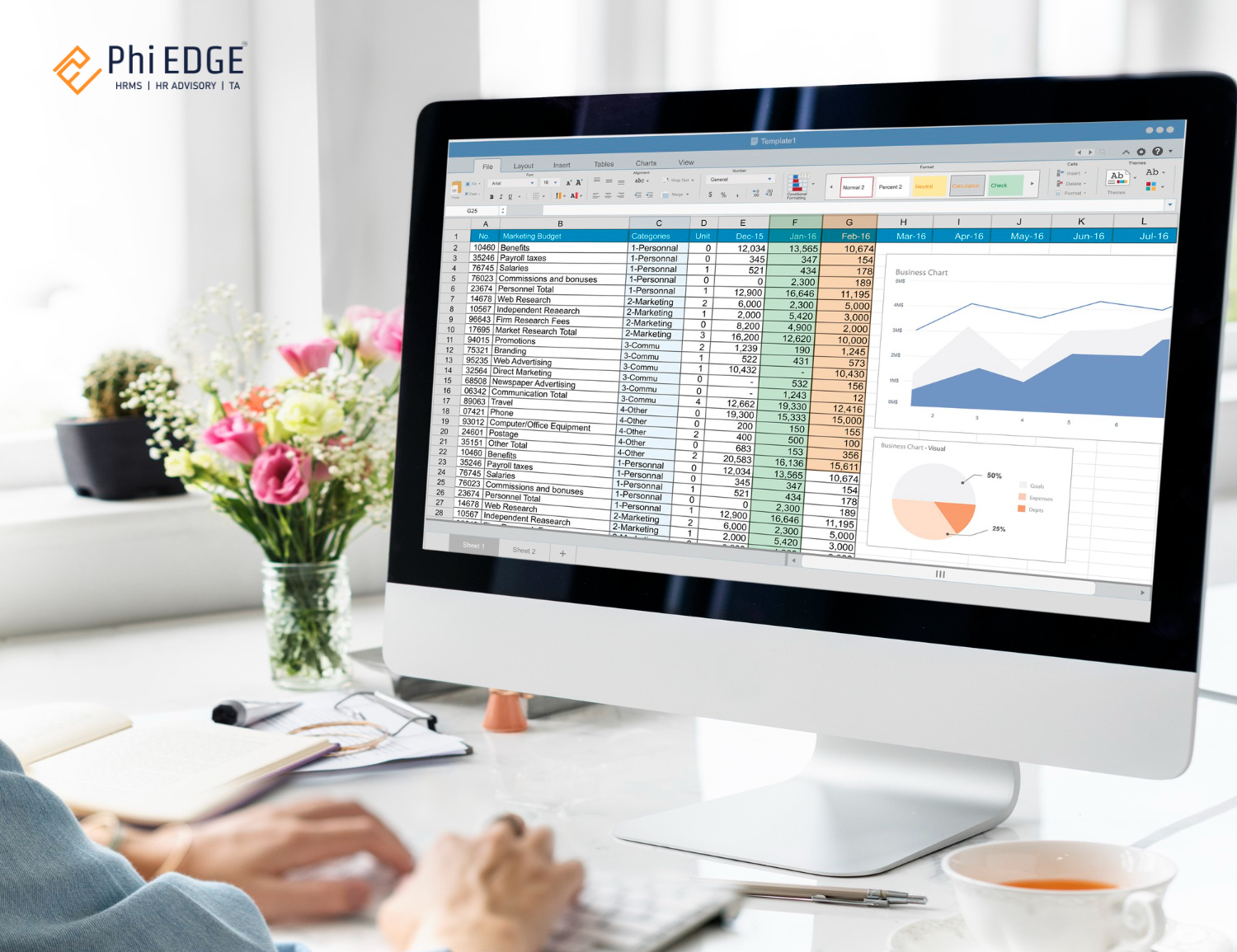
For decades, Microsoft Excel has been a staple in business operations, particularly for managing payroll. Its functionalities allow users to create spreadsheets that can calculate employee wages, track hours worked and manage deductions. With features like formulas, pivot tables, and customizable templates, Excel provides a flexible platform for businesses to handle payroll tasks manually. Small organizations often rely on Excel due to its low cost and ease of access. However, as businesses expand and payroll needs become more complex, the limitations of Excel start to surface.
What is Payroll?
Payroll is a critical function within any organization that involves the process of compensating employees for their work. This process not only includes calculating wages based on hours worked or salaries but also encompasses various deductions such as taxes, retirement contributions, and health insurance premiums. Furthermore, payroll management ensures compliance with labor laws and regulations, which can vary significantly by location. A well-managed HR payroll system in India is essential for maintaining employee satisfaction, ensuring timely payments, and avoiding legal repercussions.
Key Components of HRMS Payroll System
Understanding the key components of payroll is vital for effective management. These components include:
- Employee Salary: The gross pay calculated based on hourly rates or salaries.
- Overtime Pay: Compensation for hours worked beyond the standard workweek.
- Bonuses and Benefits: Additional payments or perks provided to employees as incentives or rewards.
- Tax Deductions: Mandatory deductions such as income tax, social security contributions, and Medicare taxes.
- Expense Reimbursements: Payments made to employees for out-of-pocket expenses incurred while performing job-related duties.
- Paid Time Off (PTO): Compensation for vacation days, sick leave, and other forms of leave.
- Compliance: Adherence to local labor laws and tax regulations to avoid penalties.
Why Using Excel for Payroll is Risky
While Excel can be a useful tool for basic payroll functions, relying on it for comprehensive payroll processing poses several risks:
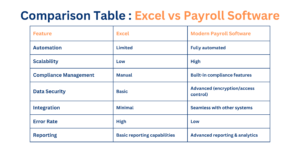
- Human Error: Manual data entry increases the likelihood of mistakes in calculations or formulas. A simple miscalculation can lead to significant discrepancies in employee paychecks or tax filings.
- Time-Consuming: Setting up complex formulas and maintaining spreadsheets can be incredibly time-consuming. As your workforce grows, managing payroll in Excel can become overwhelming.
- Lack of Scalability: As your business expands, handling large datasets in Excel can lead to confusion and errors.
- Compliance Challenges: Keeping up with changing tax laws manually is difficult. Non-compliance can result in hefty fines and legal issues that could have been avoided with an HRMS payroll software.
- Data Security Risks: Excel lacks robust security features such as encryption and access controls. Sensitive payroll data stored in spreadsheets is vulnerable to unauthorized access or data breaches.
Why Modern HRMS Payroll Software in India is Superior
Modern HR and payroll software is transforming the way businesses handle employee compensation by automating tedious tasks, ensuring compliance, and boosting overall efficiency. Here are some key advantages:
1. Centralized Data Management
HRMS payroll software centralizes all employee-related information within a single, secure platform, eliminating manual data transfers and reducing errors.
2. Automated Calculations
A key benefit of HRMS payroll software in India is its ability to automate calculations for wages, taxes, and deductions, ensuring accuracy and timely payments.
3. Real-Time Updates
Keeping up with fluctuating tax laws and labor regulations is simplified as the best HRMS and payroll software in India provides automatic updates for compliance.
4. Employee Self-Service Portals
Payroll solutions empower employees through self-service portals, allowing them to access payslips, update personal information, and track leave balances.
5. Enhanced Security and Transparency
Advanced security features such as encryption, role-based access controls, and audit logs protect sensitive payroll data.
6. Error Reduction
Automation eliminates common payroll mistakes, ensuring accuracy in every payroll cycle.
7. Seamless Integration
Modern payroll solutions integrate with HRMS payroll systems, accounting software, and time-tracking applications for enhanced efficiency.
8. Cost Efficiency
Investing in HRMS payroll software leads to long-term savings by reducing errors and administrative workload.
9. Scalability
As organizations grow, HRMS payroll software can easily accommodate more employees without sacrificing performance or accuracy.
10. Improved Record-Keeping
Payroll systems maintain thorough records of employee payments, tax filings, and compliance documents, simplifying audits and regulatory inspections.
Upgrade Your Payroll Processing with Phi EDGE HRMS Payroll Software in India
At Phi EDGE, we understand the challenges businesses face when managing payroll through traditional methods like Excel. Our comprehensive HRMS payroll software is designed to simplify payroll processes while ensuring accuracy, compliance, and security. With features such as real-time reporting, automated tax calculations, and customizable employee profiles, Phi EDGE Payroll Software empowers you to focus on what truly matters—growing your business.
Frequently Asked Questions (FAQs)
1. Is it cost-effective to use a payroll system for small organizations?
Yes! Many HRMS payroll software in India offer tiered pricing plans for small businesses, making them a cost-effective solution.
2. Can payroll software handle compliance with local tax laws?
Absolutely! The best HRMS and payroll software in India ensures compliance by automatically updating tax rates and regulations.
3. How secure is payroll software compared to Excel?
Payroll software offers advanced security features such as encryption and access controls, protecting sensitive payroll data far better than Excel.
4. Does switching to payroll software require technical expertise?
Not at all! Most HRMS payroll systems are user-friendly and require minimal training.
5. Can I integrate payroll software with my existing tools?
Yes! Modern HR and payroll software seamlessly integrates with HRMS and accounting tools, streamlining your business processes.
By upgrading to Phi EDGE Payroll Software, you can transform your payroll management into a streamlined process that enhances accuracy, ensures compliance, and strengthens security—allowing you more time to focus on what truly matters—growing your business!