Managing employees efficiently has become one of the biggest priorities for businesses in 2026. Whether you’re a startup with 20 employees or a large enterprise managing thousands of people, choosing the right Human Resource Management System (HRMS) can improve productivity, automate repetitive HR tasks, and provide a better employee experience.
From attendance tracking and payroll automation to performance management and employee self-service, modern HRMS platforms simplify HR operations while helping organizations stay compliant with Indian labor laws.
In this comprehensive guide, we’ll compare the Top 10 HRMS Software in India, discuss their features, benefits, real-world use cases, and explain why Phi EDGE HRMS is becoming the preferred choice for businesses looking for a scalable and AI-powered HR solution.

Quick Answer
If you’re looking for the best HRMS software in India, consider solutions that offer payroll automation, attendance management, leave tracking, employee self-service, recruitment, performance management, and detailed analytics. Phi EDGE HRMS combines these capabilities in one secure and user-friendly platform, making it suitable for startups, SMEs, and enterprise organisations seeking to streamline HR operations and improve workforce productivity.
Table of Contents
- What is HRMS Software?
- Why Businesses Need HRMS in 2026
- Top 10 Best HRMS Software in India
- HRMS Comparison Table
- Key Features to Look For
- Benefits of HRMS Software
- Real Business Examples
- Buying Guide
- Why Choose Phi EDGE HRMS
- Frequently Asked Questions
What is HRMS Software?
Human Resource Management System (HRMS) software is a digital platform that helps businesses automate and manage HR activities from a single dashboard.
Instead of handling employee records, attendance, payroll, leave requests, recruitment, and performance reviews manually, HR professionals can use HRMS software to streamline these processes, reduce administrative workload, and improve accuracy.
Modern HRMS platforms also support cloud access, mobile applications, AI-powered analytics, and self-service portals, enabling employees and managers to complete HR tasks anytime and from anywhere.
HRMS typically includes:
- Employee Information Management
- Attendance & Shift Management
- Leave Management
- Payroll Processing
- Recruitment & Onboarding
- Performance Management
- Expense Reimbursement
- Employee Self-Service
- HR Analytics & Reports
- Compliance Management
Why Businesses Need HRMS Software in 2026
The workplace has evolved significantly, with hybrid work models, remote teams, and increasing compliance requirements making manual HR management inefficient.
Businesses today need software that not only automates HR tasks but also provides real-time workforce insights and improves employee engagement.
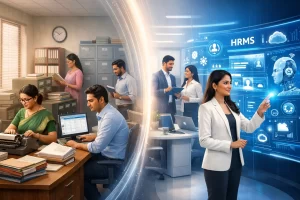
Some of the biggest reasons organizations invest in HRMS software include:
Reduce Manual Work
Automating attendance, payroll, leave approvals, and employee records saves HR teams significant time and minimizes human errors.
Improve Employee Experience
Employees can access payslips, apply for leave, update personal information, and track attendance through self-service portals without depending on HR personnel.
Better Decision Making
Interactive dashboards and analytics help HR managers monitor workforce performance, employee turnover, hiring trends, and attendance patterns.
Stay Compliant
HRMS software helps organizations maintain compliance with payroll regulations, statutory deductions, and labor laws while reducing the risk of penalties.
Increase Productivity
With repetitive administrative tasks automated, HR teams can focus on strategic initiatives such as employee development, retention, and organizational growth.
Top 10 Best HRMS Software in India (2026)
| Rank | HRMS Software | Best For | Key Strength |
| 1 | Phi EDGE HRMS | SMEs & Enterprises | AI-powered HR automation, payroll, attendance, employee self-service |
| 2 | Keka HR | Growing Businesses | User-friendly interface and payroll automation |
| 3 | greytHR | Small & Medium Businesses | Payroll and compliance management |
| 4 | Zoho People | Businesses using Zoho ecosystem | Employee management and workflows |
| 5 | Darwinbox | Large Enterprises | Enterprise HR transformation |
| 6 | BambooHR | Global Organizations | Employee lifecycle management |
| 7 | SAP SuccessFactors | Enterprises | Comprehensive HR suite |
| 8 | Oracle HCM Cloud | Large Corporations | Global workforce management |
| 9 | factoHR | Mid-sized Businesses | Attendance and payroll solutions |
| 10 | Zimyo HRMS | Startups & SMEs | Performance and employee engagement Why Phi EDGE HRMS Stands Out |
Selecting an HRMS is not just about automating payroll or attendance—it is about choosing a platform that grows with your business. Phi EDGE HRMS is designed to help organizations simplify HR operations while providing a seamless experience for both HR teams and employees.
Unified HR Platform
Phi EDGE HRMS brings essential HR functions together in one centralized platform, reducing the need for multiple software solutions.
Automation-First Approach
Routine processes such as attendance tracking, payroll calculations, leave approvals, and employee record management are automated, allowing HR professionals to focus on strategic initiatives.
Easy-to-Use Interface
The platform is built with usability in mind, making it simple for HR teams, managers, and employees to navigate and complete tasks efficiently.
Scalable for Business Growth
Whether your organization has 20 employees or 2,000, Phi EDGE HRMS is designed to scale alongside your workforce and operational requirements.
Secure Cloud Access
Cloud-based infrastructure enables secure access to HR data from any location while supporting modern hybrid and remote work environments.
Key Features to Look for in HRMS Software
Choosing the right HRMS software goes beyond comparing prices. A modern HR solution should automate routine tasks, improve employee experience, and provide actionable insights that help businesses make informed decisions. Below are the essential features every organization should evaluate before investing in an HRMS.
Employee Information Management
A centralized employee database stores all workforce information securely in one place.
Benefits
- Digital employee records
- Quick document access
- Secure information storage
- Easy profile updates
- Reduced paperwork
Example:
When a new employee joins, HR can upload documents, assign departments, create employee IDs, and complete onboarding digitally instead of maintaining physical files.
Attendance & Time Tracking
Attendance management records employee working hours, shifts, overtime, and remote work schedules automatically.
Features
- Biometric Integration
- Face Recognition
- GPS Attendance
- Mobile Check-in
- Shift Management
- Overtime Tracking
Business Benefit
Managers receive real-time attendance reports while payroll calculations become more accurate.
Payroll Automation
Payroll processing is one of the most critical HR functions. A reliable HRMS automates salary calculations while reducing manual effort.
Payroll Features
- Salary Processing
- Tax Calculations
- PF & ESI Management
- Bonus Processing
- Reimbursements
- Payslip Generation
- Bank Transfer Reports
Example
Instead of calculating salaries manually for 500 employees every month, payroll can be processed in just a few clicks with automated compliance support.
Leave Management
Employees can request leave online while managers approve or reject requests instantly.
Leave Types
- Casual Leave
- Sick Leave
- Earned Leave
- Maternity Leave
- Paternity Leave
- Work From Home
- Compensatory Off
Benefits
- Faster approvals
- Transparent leave balances
- Reduced administrative workload
- Accurate payroll integration
Employee Self-Service Portal (ESS)
Modern employees expect access to HR services without relying on the HR department for every request.
The Employee Self-Service Portal allows employees to:
- Download Payslips
- Apply for Leave
- Check Attendance
- Update Personal Details
- Submit Reimbursement Claims
- Access Company Policies
- Download Tax Documents
Real Example
Instead of emailing HR for salary slips every month, employees can securely download them anytime.
Recruitment & Applicant Tracking
Recruitment modules help HR teams manage the complete hiring process.
Features
- Job Posting
- Resume Database
- Candidate Tracking
- Interview Scheduling
- Offer Letter Generation
- Joining Documentation
Business Benefit
Hiring cycles become faster while improving collaboration between recruiters and hiring managers.
Performance Management
Employee performance tracking enables organizations to build a culture of continuous improvement.
Features
- Goal Setting
- KPI Tracking
- Appraisal Cycles
- 360° Feedback
- Performance Reviews
- Promotion Tracking
Example
Sales managers can review quarterly targets, monitor achievements, and provide structured feedback within one platform.
HR Analytics & Reporting
Data-driven HR decisions help organisations improve workforce planning and productivity.
Reports Include
- Attendance Reports
- Salary Reports
- Department-wise Headcount
- Attrition Analysis
- Leave Trends
- Recruitment Reports
- Performance Dashboards
Business Value
Interactive dashboards allow leadership teams to identify trends and make informed decisions.
Benefits of Using HRMS Software
A well-implemented HRMS provides value across every stage of the employee lifecycle.
Saves Time
Routine administrative tasks such as attendance tracking, payroll processing, and leave approvals are automated, enabling HR teams to focus on strategic initiatives.
Improves Accuracy
Automation reduces manual errors in salary calculations, attendance records, and employee data management.
Enhances Employee Experience
Self-service features enable employees to access information quickly, enhancing transparency and reducing their dependency on HR staff.
Supports Compliance
Modern HRMS platforms enable organisations to manage statutory requirements, maintain accurate records, and streamline audit readiness.
Enables Better Decision-Making
Real-time reports and dashboards provide insights into workforce performance, absenteeism, hiring, and employee retention.
Real-World Business Examples
Example 1: Manufacturing Company
A manufacturing company with multiple shifts implemented an HRMS to automate attendance through biometric integration. Payroll processing time was significantly reduced, and overtime calculations became more accurate.
Example 2: IT Services Firm
An IT company adopted an employee self-service portal, allowing staff to manage leave requests, download payslips, and update personal information independently. HR teams experienced fewer routine support requests and faster response times.
Example 3: Retail Chain
A retail organization managing employees across multiple locations used centralized HRMS reporting to monitor attendance, staffing levels, and payroll. This improved operational visibility and supported better workforce planning.
HRMS Software Comparison
| Feature | Phi EDGE HRMS | Keka HR | greytHR | Zoho People | Darwinbox |
| Employee Database | ✔ | ✔ | ✔ | ✔ | ✔ |
| Attendance Management | ✔ | ✔ | ✔ | ✔ | ✔ |
| Payroll Automation | ✔ | ✔ | ✔ | Limited | ✔ |
| Leave Management | ✔ | ✔ | ✔ | ✔ | ✔ |
| Employee Self-Service | ✔ | ✔ | ✔ | ✔ | ✔ |
| Recruitment Module | ✔ | ✔ | Limited | ✔ | ✔ |
| Performance Management | ✔ | ✔ | Limited | ✔ | ✔ |
| HR Analytics | ✔ | ✔ | ✔ | ✔ | ✔ |
| Mobile Access | ✔ | ✔ | ✔ | ✔ | ✔ |
| Cloud-Based Platform | ✔ | ✔ | ✔ | ✔ | ✔ |
Note: Feature availability may vary by plan and product version. Verify current offerings with each software provider before making a purchase decision.
Why Phi EDGE HRMS Is a Smart Choice
Organisations today require an HR platform that combines automation, usability, and scalability. Phi EDGE HRMS is designed to streamline core HR operations while supporting business growth.
Comprehensive HR Management
Manage attendance, payroll, leave, employee records, performance, and reporting through a unified platform.
Automation for Everyday Tasks
Reduce repetitive administrative work with workflows that simplify approvals, calculations, and record management.
Cloud-Based Accessibility
Enable secure access for HR teams and employees across office, remote, and hybrid work environments.
User-Friendly Experience
An intuitive interface encourages adoption across HR teams, managers, and employees, minimizing training requirements.
Scalable Architecture
Whether your business is expanding from 50 to 5,000 employees, the platform is designed to grow with your organization.
Complete Buying Guide: How to Choose the Best HRMS Software in India
Selecting the right HRMS software is a long-term investment that impacts employee productivity, HR efficiency, and overall business growth. Instead of choosing software based only on price, businesses should evaluate functionality, scalability, security, support, and ease of implementation.
Below are the key factors every organization should consider before investing in an HRMS solution.
Understand Your Business Requirements
Every organization has unique HR processes. Before comparing HRMS solutions, identify your current challenges and future goals.
Questions to Ask
- How many employees do you have?
- Do you manage multiple office locations?
- Is your workforce remote, hybrid, or on-site?
- Do you need payroll automation?
- Do you require recruitment management?
- Will employees use a mobile application?
- Are you planning to scale in the next 3–5 years?
Clearly defining your requirements helps narrow down the most suitable solution.
Choose an All-in-One HR Platform
Managing separate tools for attendance, payroll, recruitment, and performance can increase costs and reduce efficiency.
A unified HRMS should include:
- Employee Database
- Attendance Management
- Payroll
- Leave Management
- Recruitment
- Performance Management
- Employee Self-Service
- Reports & Analytics
- Compliance Management
Having all HR functions in one platform improves data accuracy and streamlines operations.
Prioritise Ease of Use
A powerful HRMS is only valuable if employees and HR teams can use it efficiently.
Look for:
- Clean dashboard
- Simple navigation
- Mobile-friendly interface
- Fast onboarding
- Minimal training requirements
User-friendly software encourages adoption across the organization.
Ensure Scalability
Your HRMS should support your business as it grows.
Choose software that can accommodate:
- More employees
- Additional office locations
- New departments
- Expanded HR workflows
- Future feature upgrades
A scalable solution minimizes the need for costly software migrations.
Evaluate Security and Data Privacy
HRMS platforms store sensitive employee information. Security should be a top priority.
Key security features include:
- Role-based access control
- Secure cloud hosting
- Data encryption
- Automated backups
- Audit logs
- Multi-factor authentication (if available)
Strong security practices help protect employee records and maintain business trust.
Industry Use Cases
Modern HRMS software supports organizations across a wide range of industries.
Information Technology (IT)
IT companies often manage distributed teams and hybrid work environments.
An HRMS helps with:
- Attendance tracking
- Performance reviews
- Recruitment
- Employee engagement
- Payroll automation
Manufacturing
Manufacturing businesses benefit from:
- Shift scheduling
- Overtime management
- Biometric attendance
- Compliance reporting
- Workforce planning
Healthcare
Hospitals and healthcare providers can use HRMS to manage:
- Shift rotations
- Doctor and staff attendance
- Leave approvals
- Credential tracking
- Payroll
Retail
Retail organizations with multiple stores can streamline:
- Staff scheduling
- Attendance monitoring
- Payroll
- Branch-wise reporting
- Employee transfers
Education
Schools, colleges, and universities can simplify:
- Faculty attendance
- Leave management
- Payroll
- Employee records
- Performance evaluations
Expert Advice Before Buying HRMS Software
After evaluating HR technology for businesses of different sizes, here are several practical recommendations.
Don’t Choose Based Only on Price
The lowest-cost solution may lack the features, support, or scalability your business needs. Consider the long-term value rather than the initial subscription fee.
Request a Product Demo
A live demonstration allows you to evaluate the user interface, workflows, reporting capabilities, and ease of use before making a decision.
Test Customer Support
Reliable implementation and ongoing support are essential. Ask about onboarding assistance, response times, and training resources.
Check Integration Capabilities
Ensure the HRMS can integrate with tools your business already uses, such as payroll systems, biometric devices, accounting software, or productivity platforms.
Review Reporting Features
Business leaders need accurate reports for workforce planning and decision-making. Look for customizable dashboards and exportable reports.
Why Businesses Choose Phi EDGE HRMS
Organizations across industries need an HR solution that simplifies operations while adapting to changing workforce needs. Phi EDGE HRMS is built to support efficient HR management through automation, centralized data, and intuitive workflows.
Centralized Employee Management
Maintain employee records, documents, attendance, leave, payroll, and performance data in one secure platform.
Automated HR Processes
Reduce repetitive manual work by automating routine HR activities, allowing teams to focus on strategic initiatives and employee development.
Cloud-Based Accessibility
Access HR information securely from anywhere, making it easier to support remote, hybrid, and multi-location teams.
Actionable Insights
Interactive dashboards and reports provide visibility into attendance trends, workforce utilization, payroll summaries, and other key HR metrics.Built for Growing Businesses
Whether you’re a startup or a large enterprise, Phi EDGE HRMS is designed to adapt as your workforce and operational requirements expand.
Future Trends in HRMS (2026 and Beyond)
The HR technology landscape continues to evolve. Businesses evaluating HRMS platforms should consider solutions that are prepared for future workplace requirements.
AI-Assisted HR Workflows
Artificial intelligence is increasingly being used to support HR teams with tasks such as resume screening, workforce analytics, and employee support. These capabilities should complement—not replace—human decision-making.
Mobile-First Employee Experience
Employees expect to manage attendance, leave requests, approvals, and documents directly from mobile devices.
Predictive Workforce Analytics
Organizations are using analytics to identify workforce trends, improve planning, and make informed hiring and retention decisions.
Enhanced Employee Self-Service
Modern HRMS platforms continue to expand self-service features, reducing administrative workload and improving employee satisfaction.
Stronger Security and Compliance
As businesses manage more digital employee data, robust security controls and compliance features are becoming increasingly important.
Frequently Asked Questions
1. What is HRMS software?
HRMS (Human Resource Management System) is software that helps businesses manage employee information, attendance, payroll, leave, recruitment, performance, and compliance through a centralized digital platform.
2. Which is the best HRMS software in India?
The ideal HRMS depends on your business size and operational needs. Compare features such as payroll automation, attendance management, employee self-service, reporting, integrations, scalability, and customer support before making a decision. Phi EDGE HRMS is designed to meet the needs of startups, SMEs, and growing enterprises with an all-in-one HR solution.
3. Can HRMS automate payroll?
Yes. Most modern HRMS platforms automate salary calculations, statutory deductions, payslip generation, reimbursements, and payroll reporting, reducing manual effort and improving accuracy.
4. Is HRMS suitable for small businesses?
Absolutely. Small businesses benefit from HRMS by reducing administrative work, improving attendance tracking, simplifying payroll, and enhancing employee experience without requiring a large HR team.
5. Does HRMS support remote and hybrid work?
Yes. Cloud-based HRMS solutions allow employees and managers to access attendance, leave, payroll, and self-service features securely from any location.
6. What features should I look for in HRMS software?
Look for features such as:
- Employee Database
- Attendance Management
- Payroll Automation
- Leave Management
- Employee Self-Service
- Recruitment Management
- Performance Management
- HR Analytics
- Compliance Management
- Mobile Accessibility
7. Is employee data secure in HRMS?
Reputable HRMS platforms use security measures such as encrypted data storage, role-based access, secure cloud infrastructure, and regular backups to protect employee information.
8. Can HRMS integrate with biometric devices?
Yes. Many HRMS solutions integrate with biometric attendance systems, enabling automatic attendance synchronization and reducing manual data entry.
9. How long does HRMS implementation take?
Implementation timelines vary based on company size, data migration, and required integrations. A structured onboarding process helps ensure a smooth transition.
10. Why should businesses choose Phi EDGE HRMS?
Phi EDGE HRMS offers a centralized platform for attendance, payroll, leave management, employee records, recruitment, performance management, and analytics. It is built to help organizations simplify HR operations, improve efficiency, and support business growth.
Final Verdict
Choosing the right HRMS software is about more than replacing spreadsheets—it is about creating efficient, scalable HR processes that support employees and business growth.
Organizations should evaluate software based on:
- Business requirements
- Ease of use
- Scalability
- Security
- Reporting capabilities
- Integration options
- Customer support
An HRMS that aligns with your operational needs can improve productivity, reduce administrative effort, and provide better workforce visibility.
Why Consider Phi EDGE HRMS?
If you’re looking for a comprehensive HRMS platform that combines core HR functions into one solution, Phi EDGE HRMS is designed to help organizations manage attendance, payroll, leave, employee records, performance, and reporting through a secure, cloud-based platform.
Whether you’re a startup, SME, or enterprise, a well-planned HRMS implementation can simplify HR operations and enhance the employee experience.
Ready to Modernize Your HR Operations?
Take the next step toward efficient workforce management.
Book a personalized demo of Phi EDGE HRMS to explore how the platform can support your organization’s HR needs.
You Can Explore
- HRMS Software
- Payroll Management
- Attendance Management
- Leave Management
- Employee Self-Service
- Performance Management
- Recruitment Solutions
- Contact the Phi EDGE Team
Author Bio
Reviewed by: Phi EDGE HR Technology Team
The Phi EDGE editorial team specializes in HR technology, workforce management, payroll automation, and digital transformation. Our content is created to help business owners, HR professionals, and decision-makers choose practical HR solutions based on industry best practices and real business needs.
Conclusion
As organizations continue to embrace digital transformation, adopting the right HRMS is no longer optional—it’s a strategic investment. By selecting a solution that fits your business goals, supports your workforce, and adapts as you grow, you can streamline HR operations and improve employee satisfaction.
This guide compared leading HRMS platforms, highlighted essential features, and provided practical advice to help you make an informed decision. With a focus on usability, automation, and scalability, Phi EDGE HRMS is well-positioned to support businesses looking to modernize their HR processes in 2026 and beyond.